Client project · E-commerce

Hoydi28 Hazelnuts

For Hoydi28, a hazelnut brand from Giresun, we built the online store, an admin panel that installs on the phone, and the payment, shipping, e-invoice, e-mail and Google integrations behind them. Collapssi's AI team works inside the panel: it writes blog posts, translates the site into new languages, plans the storefront and campaigns, and drafts replies to incoming e-mails. The store and the panel are a single application; every page is pre-rendered for Google on each release.
  • JavaScript (single-page app)
  • Supabase: PostgreSQL and Edge Functions
  • Netlify
  • Pages pre-rendered with Playwright
  • PWA and Web Push
  • iyzico
  • EDM e-Invoice / e-Archive
  • Yurtiçi Kargo and Sürat Kargo
  • Resend
  • Google Analytics 4, Search Console, Google Ads, Merchant Center
  • Google Places API
  • Claude API
  • OpenAI Images API
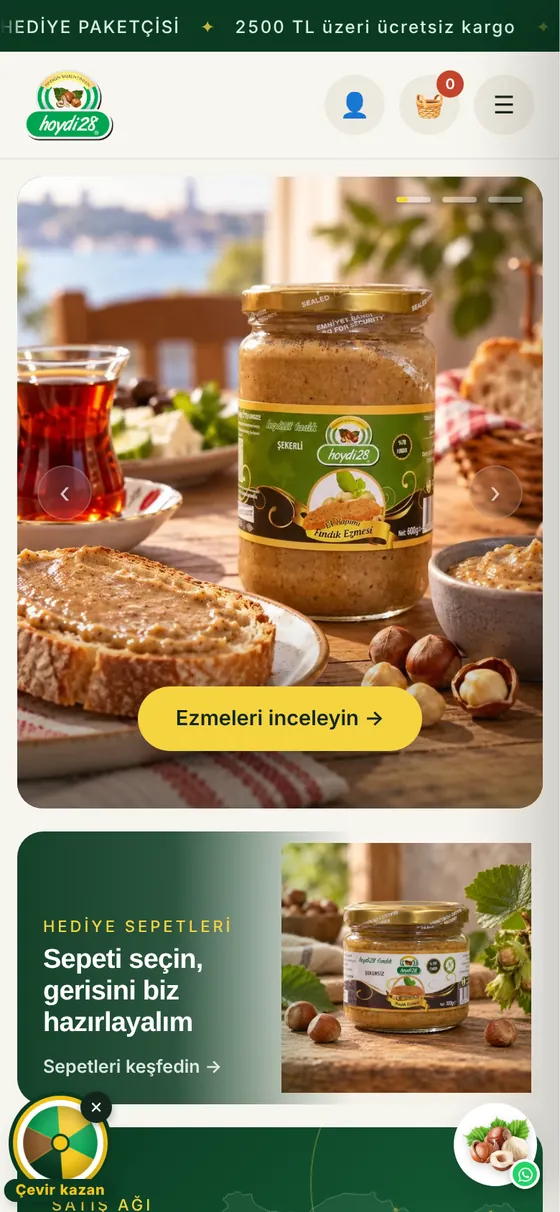
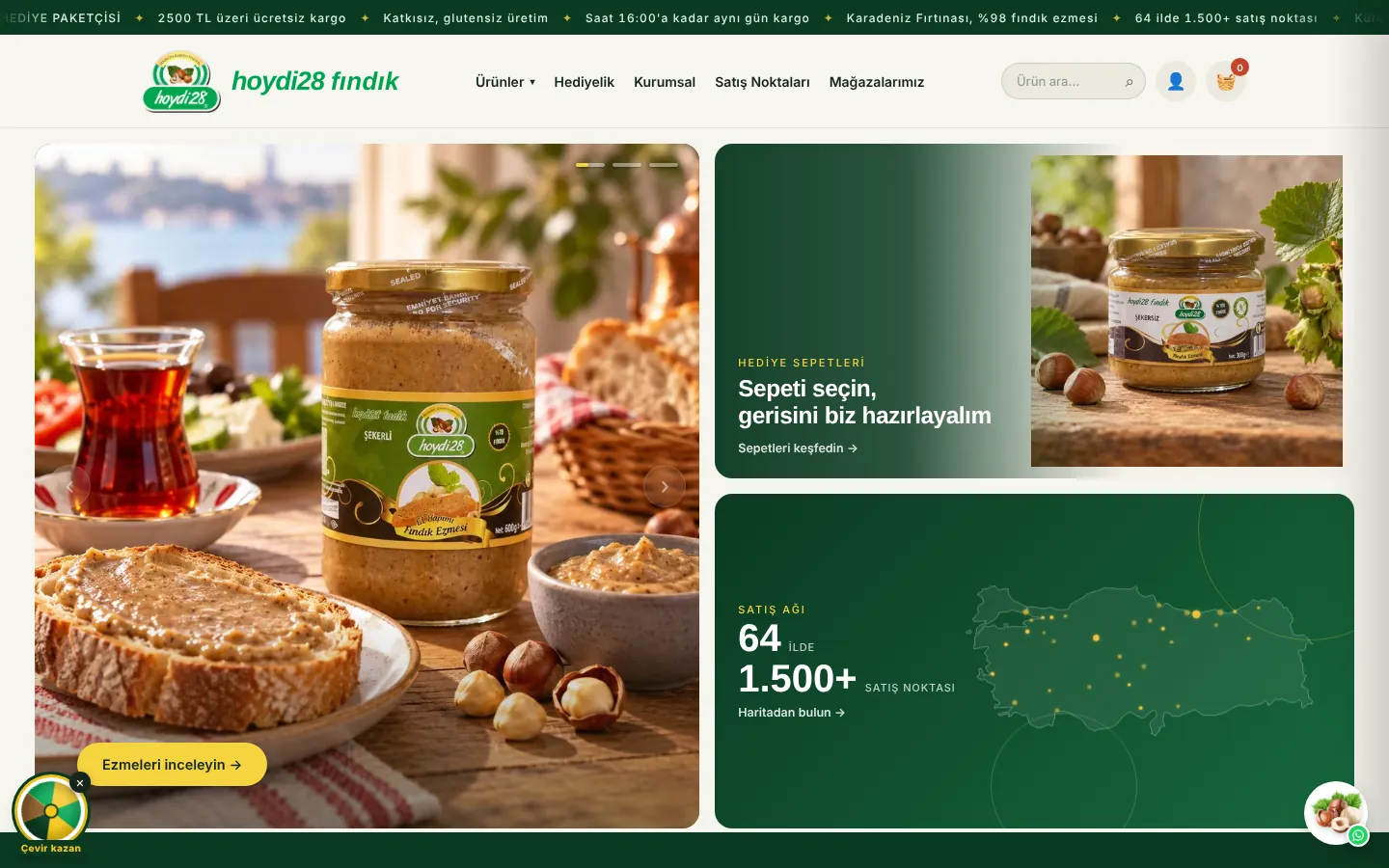
Store home page
Store home page
Languages
Turkish, English and new languages opened on a schedule
Payment
Card (iyzico), bank transfer
AI
A seven-member Collapssi team and an ads assistant
Integrations
Shipping, e-invoice, Google Ads, Analytics, Search Console

Screenshots were taken from a local copy of the site and the admin panel. Customer names, orders, companies and all figures in the panels are sample data, not the store's real sales or traffic. Customer names in the Google reviews are shown as initials.

01

Store and product pages

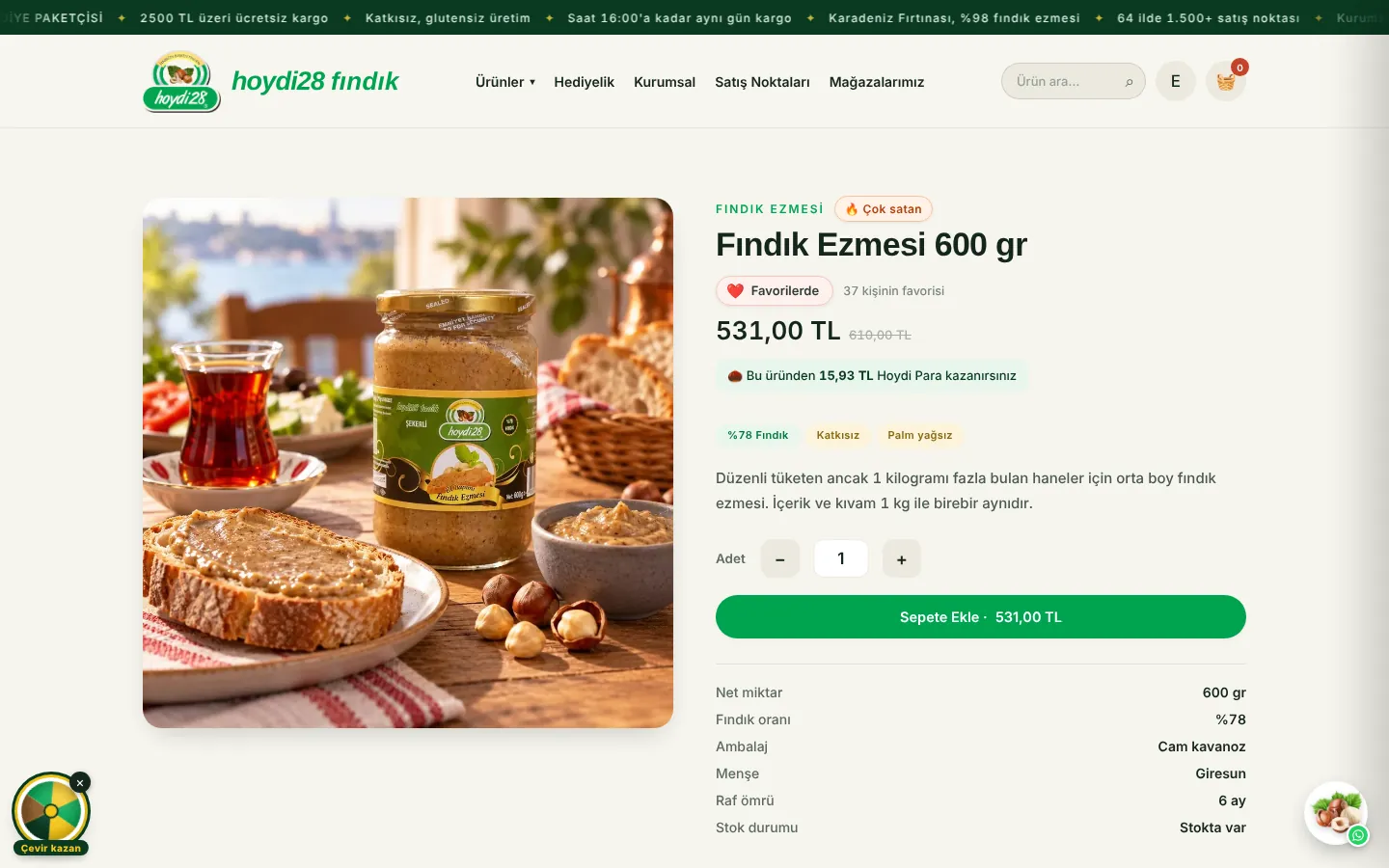
The store works with the same care on phones and computers. Products, categories and the page layout are changed from the panel; price and text changes appear on the site immediately. The product page answers the questions a customer is likely to have on a single screen.
  • Turkish and English store; new languages open on an automatic schedule, and visitors are offered a translation into their own language
  • Automatic badges: "Best seller" for the top sellers of the last 60 days and "Most viewed" for the most viewed products, updated every night
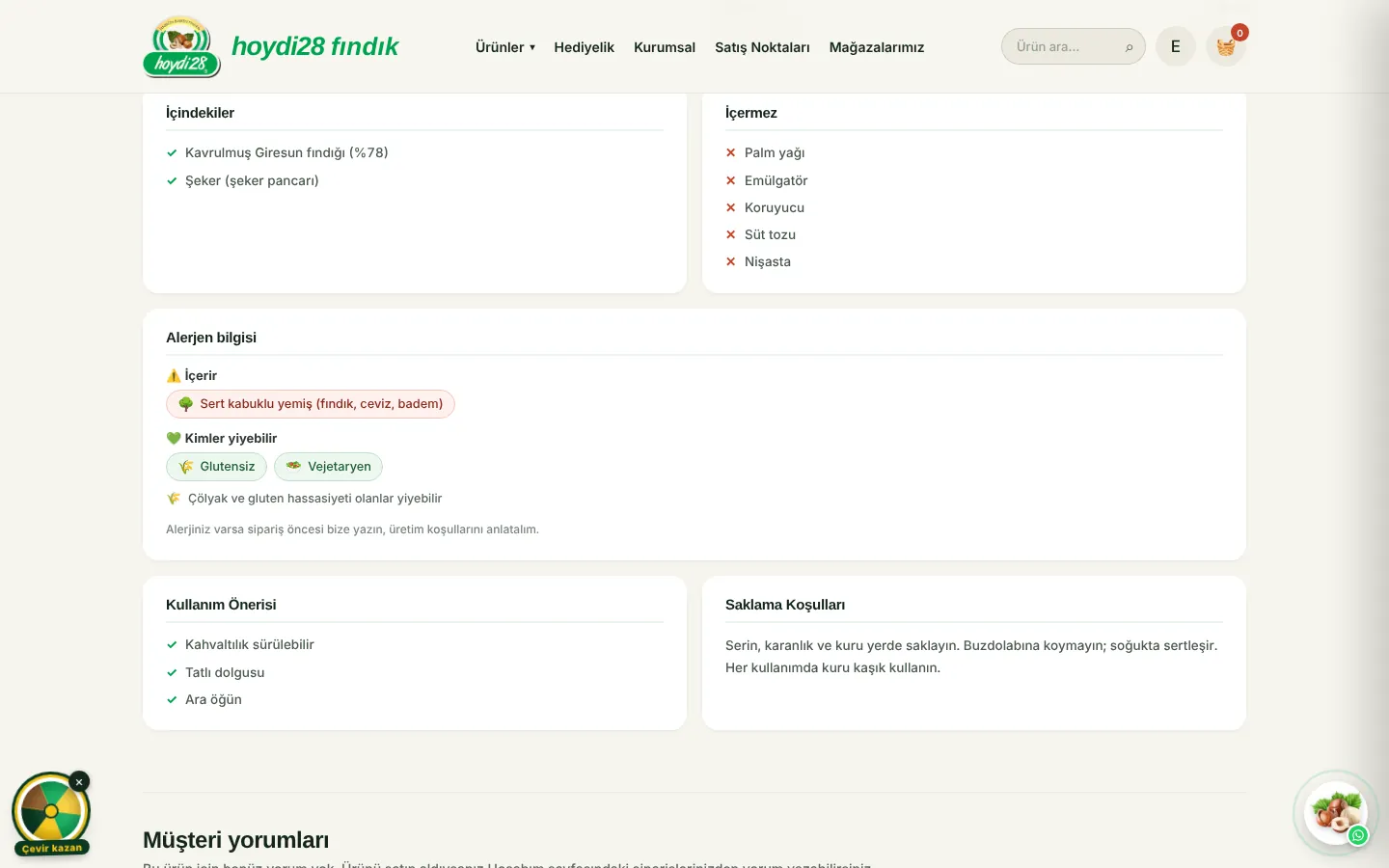
  • Allergen card: allergens the product contains, possible traces and who can eat it (gluten-free, vegan and so on) as coloured tags
  • A favourite heart and a note showing how many people have favourited the product
  • Quantity selector right on the product card; on the product page the price updates with quantity and packaging, with a stock limit warning
  • Gift baskets priced and stocked from the products inside them; customers can also design their own basket
  • Gift notes, a variety choice for köme and a "notify me when back in stock" request
  • A "bus terminal delivery only" flag for products that cannot be shipped by courier
Product page: best seller badge, favourite and price
Allergen information and who can eat it
Store on a phone
Store on a phone
02

Accounts, favourites and a prize wheel

Members get small surprises on the site. Customers follow their order step by step, receive an e-mail when a favourite product gets cheaper or comes back in stock, and spin the wheel for a discount.
  • One-tap Google sign-in in the corner of the page without opening a new one, followed by an emoji "Welcome" greeting
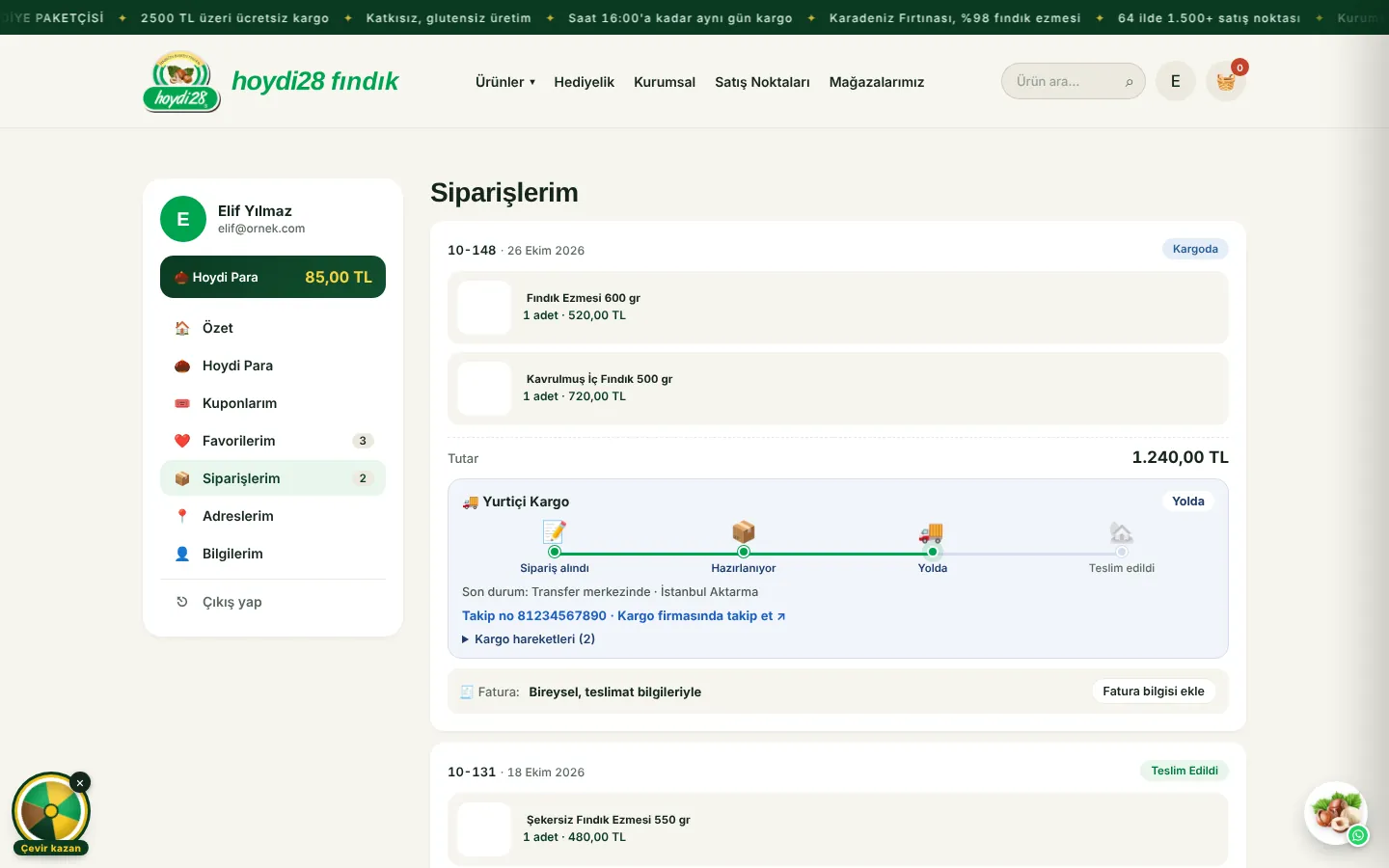
  • Animated shipping steps with emojis: order received, preparing, on the way (the truck drives back and forth), delivered; courier events and a tracking link
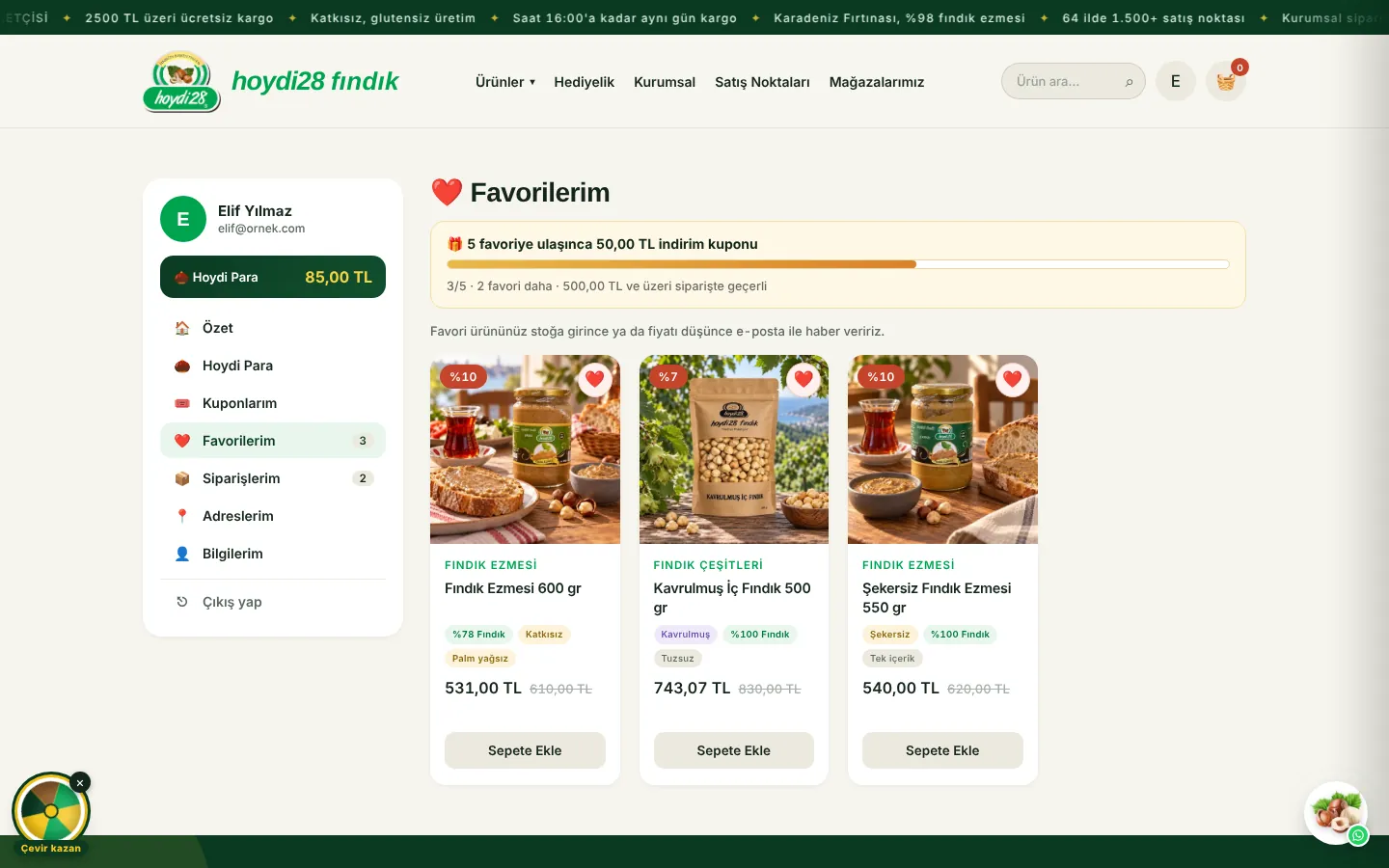
  • Favourites: members who favourite a set number of products get a personal coupon automatically; an e-mail when a favourite gets cheaper or is back in stock
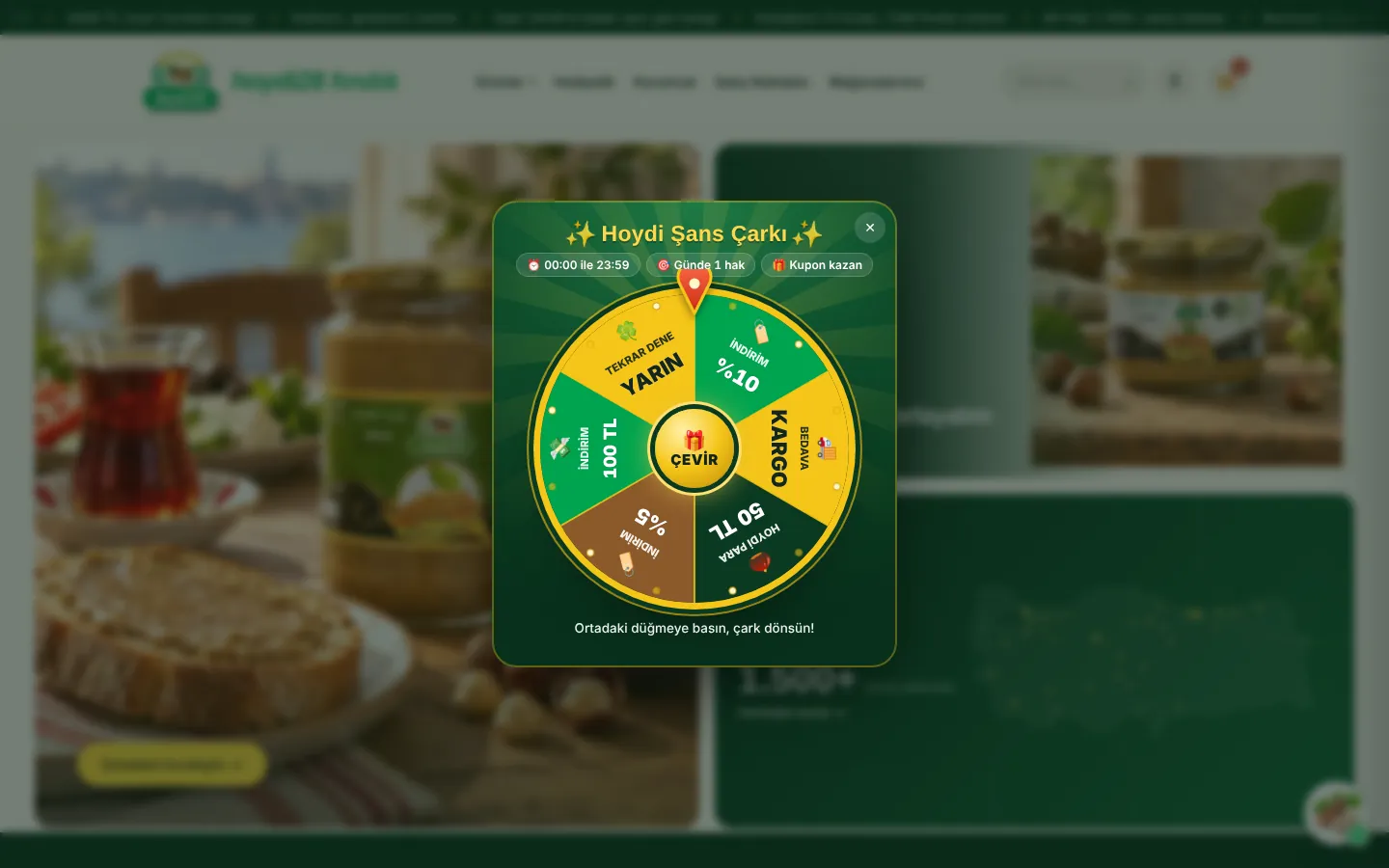
  • Hoydi prize wheel: the server decides the result and the coupon is added to the account
  • Hoydi Para: points on every order, review rewards, paying with points
  • Saved addresses and invoice details; a 6-digit e-mail code for forgotten passwords
My Account: shipping steps with emojis
Favourites and the reward bar
Hoydi prize wheel
Hoydi prize wheel
03

Google reviews arrive on their own

The Google reviews of the store's two branches are fetched automatically every morning and shown in a scrolling strip on the site. Customers whose order has been delivered are politely asked for a Google review.
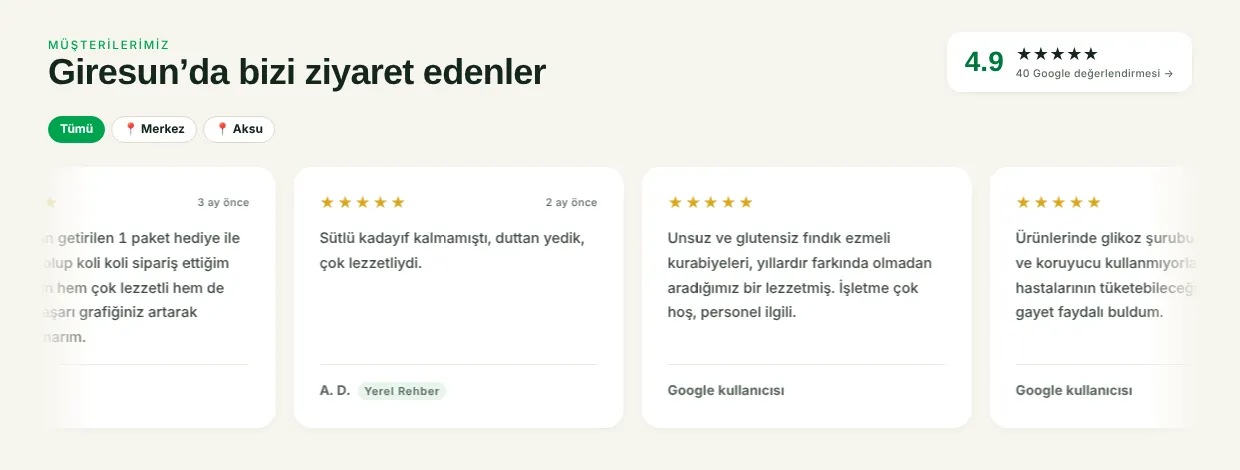
  • Google Business reviews of the Merkez and Aksu stores are refreshed every morning through the Places API; the rating and review count are live too
  • A scrolling review strip with a store filter
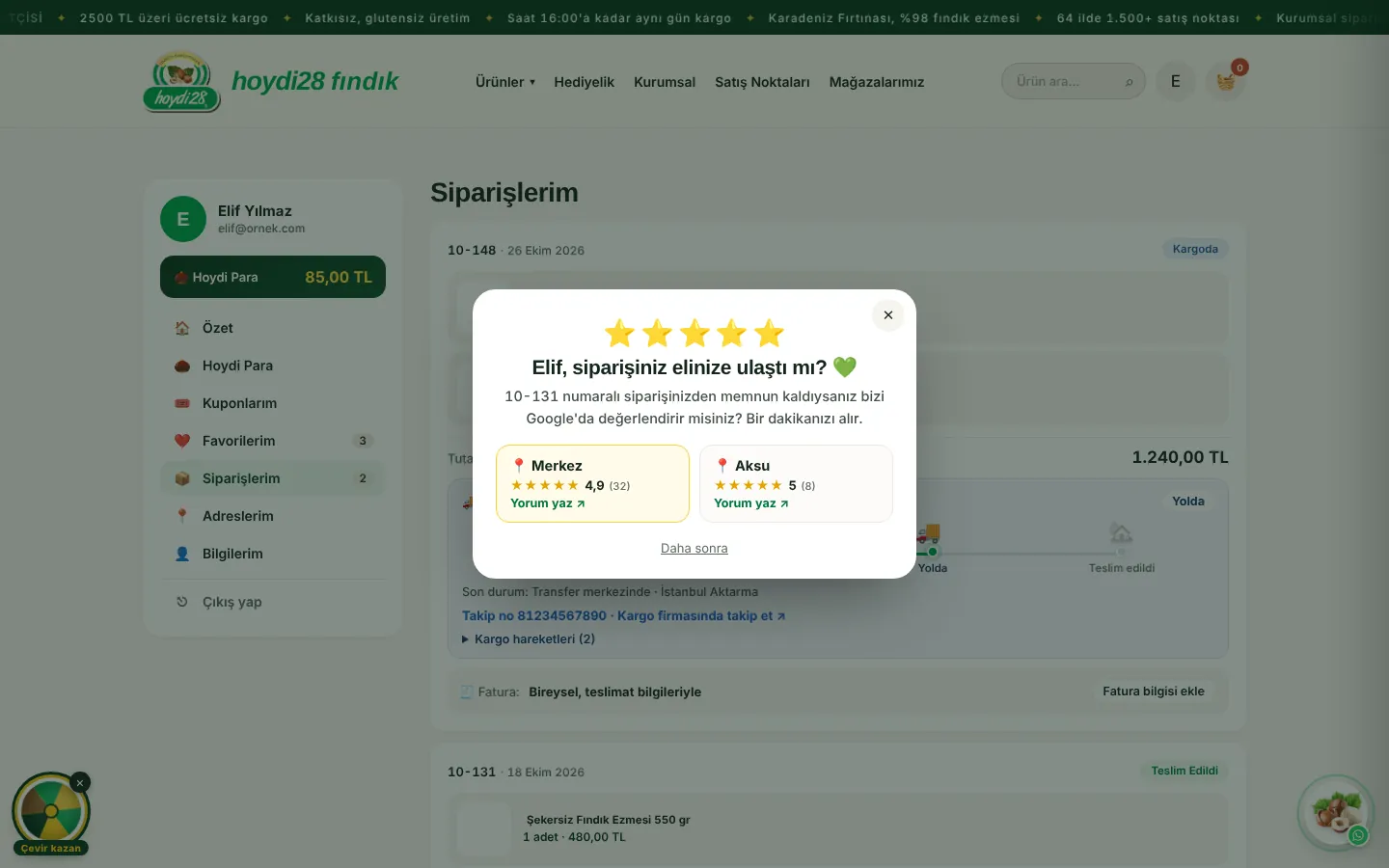
  • Members with a delivered order see a one-time "Did your order arrive?" window; one tap opens the store's Google review page
  • No coupon is attached because Google forbids rewards for reviews; product reviews on the site earn Hoydi Para
Google reviews in a scrolling strip
Asking for a Google review after delivery
04

Payment and order flow

For card payments the server recalculates the amount; if it does not match the amount shown in the browser, the payment does not start. Prices, campaigns, coupons and shipping follow one set of rules.
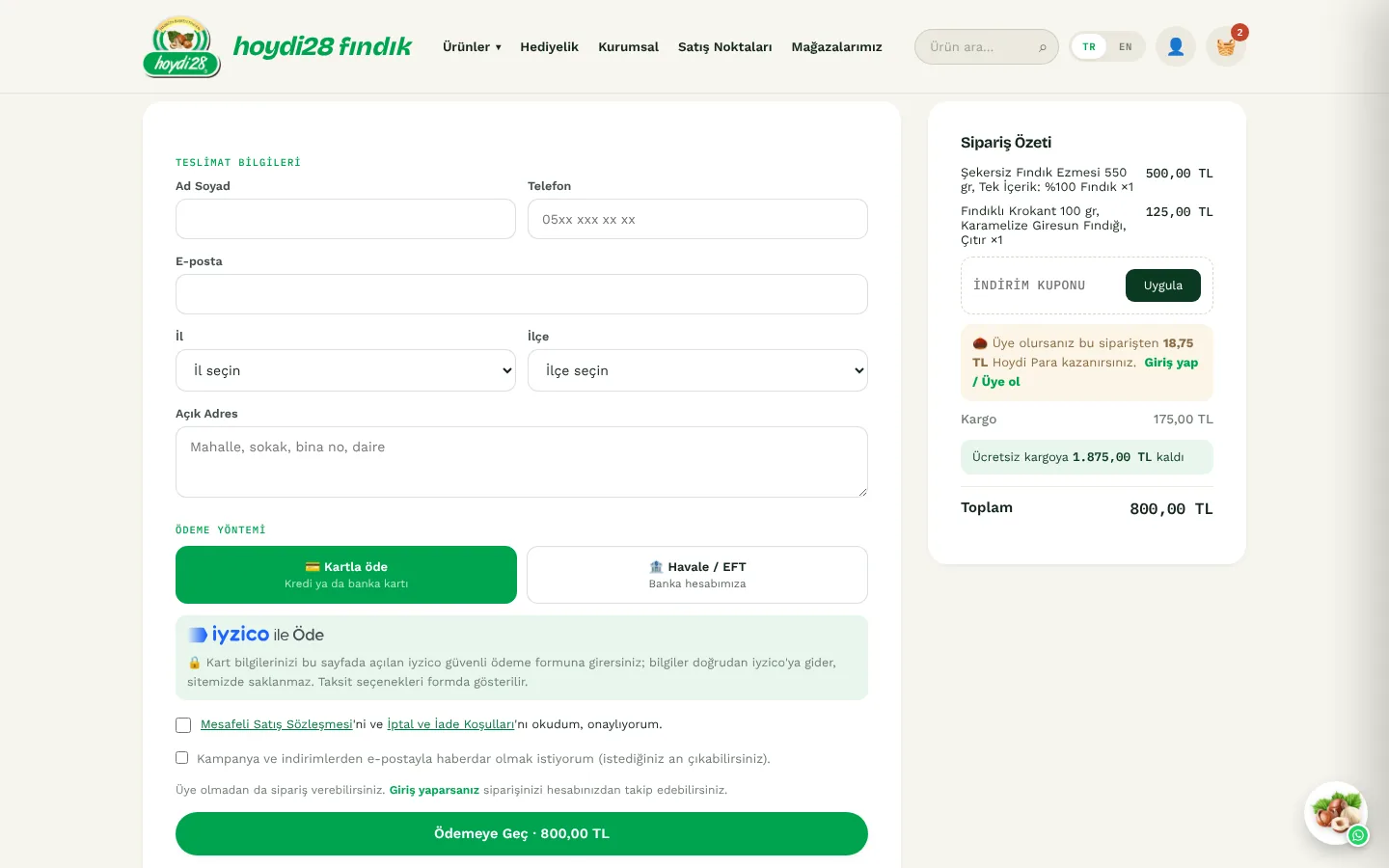
  • Card payment with the iyzico payment form in a window opened inside the site; 3D Secure supported
  • Once the payment is confirmed the order becomes "New" and Hoydi Para and coupons are deducted; if the customer closes the page, a scheduled job checks the payment result
  • Bank transfer: bank details are shown on the checkout page and after the order
  • Province and district for the delivery address are picked from a list (81 provinces, 973 districts)
  • Invoice details after the order: individual or corporate; Turkish ID and tax numbers are validated
  • Automatic e-mails: order received, shipped (with a tracking link), delivered
Checkout page
Checkout page
05

An AI team inside the panel: Collapssi

The Collapssi tab of the panel holds seven AI team members who check on their work for Hoydi28 every hour. Each has a role, a mascot whose mood changes and a speech bubble. None of them changes anything without approval: posts, the storefront, campaigns and e-mail replies wait for the store owner.
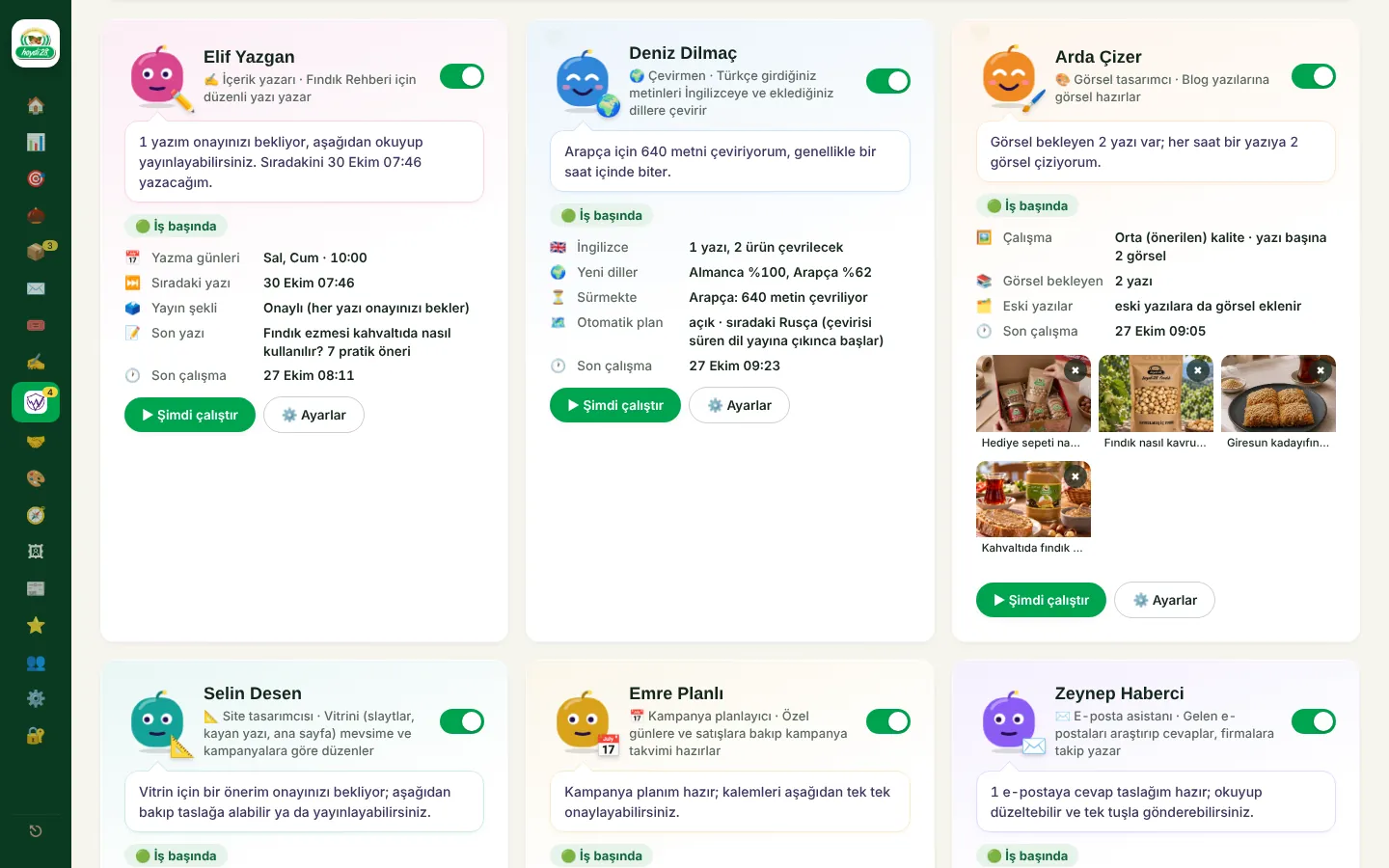
  • ✍️ Elif (content writer): writes blog posts on the chosen days, knowing the products and earlier posts; flags a post with a warning if anything breaks the rules
  • 🌍 Deniz (translator): translates product, blog and page texts entered in Turkish into English; opens new languages such as German, Russian and Arabic on an automatic schedule and publishes each one when the translation is complete
  • 🎨 Arda (visual designer): draws images that fit each blog post; they are placed between the subheadings
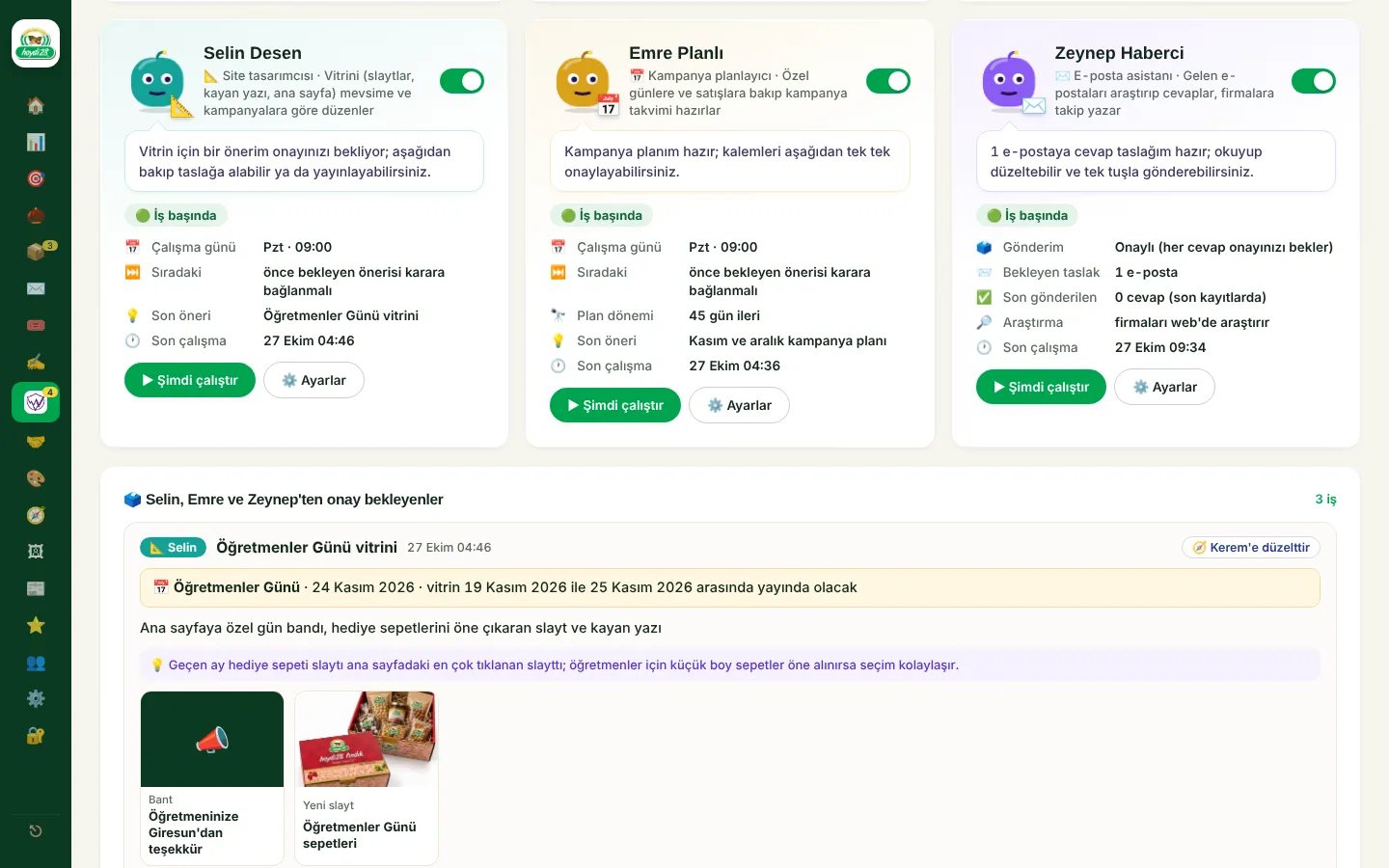
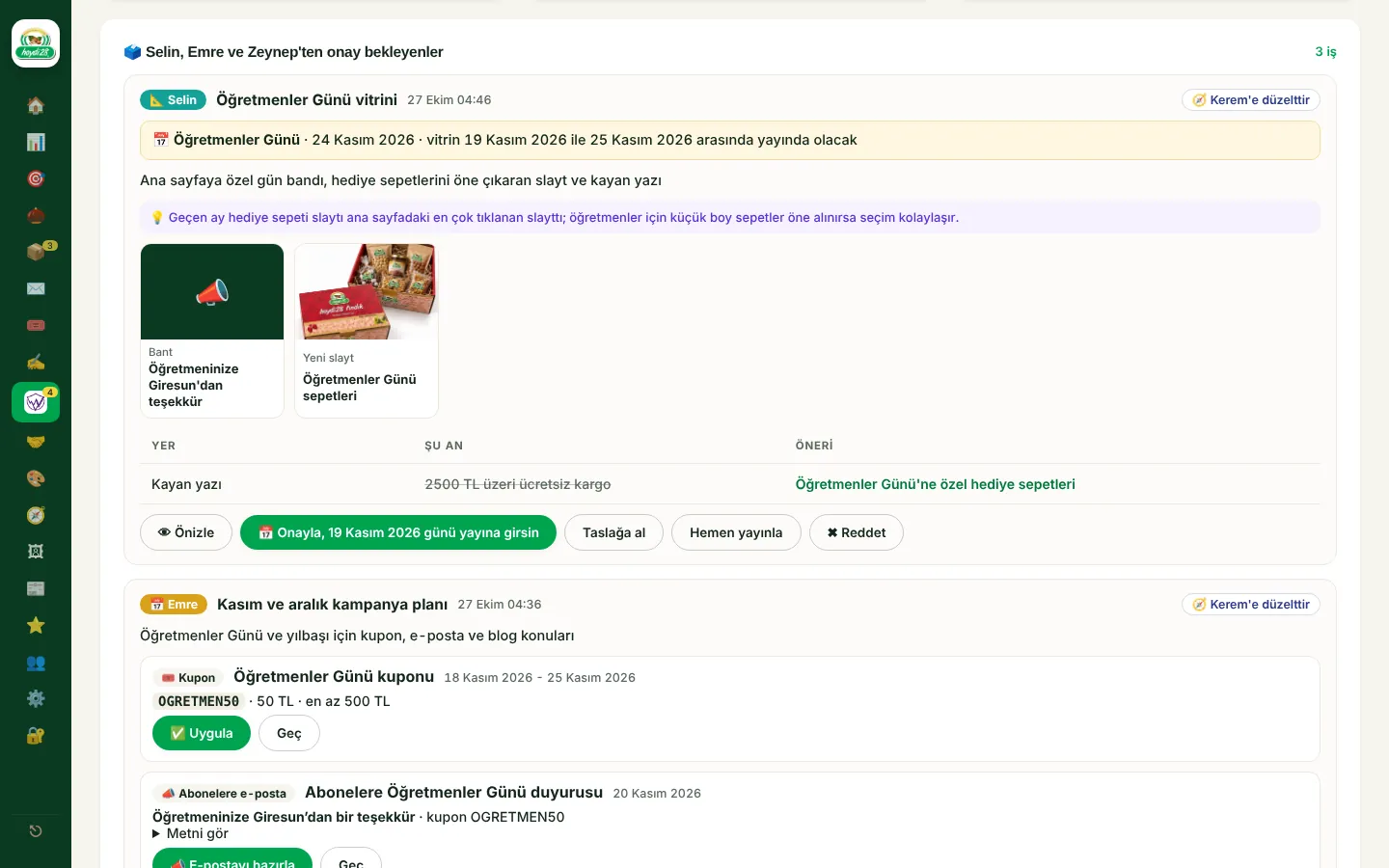
  • 📐 Selin (site designer): suggests storefront changes based on clicks and sales; before special days she prepares a banner, slide and product list for that day, which can be previewed, goes live on the day once approved and comes down afterwards
  • 📅 Emre (campaign planner): plans the coming weeks: coupons, time-limited discounts, e-mails to subscribers, blog topics for Elif, storefront requests for Selin; each item is approved separately
  • ✉️ Zeynep (e-mail assistant): reads each incoming e-mail together with the sender's orders and company record, researches companies on the web and drafts a reply; suggests follow-up e-mails to wholesale leads
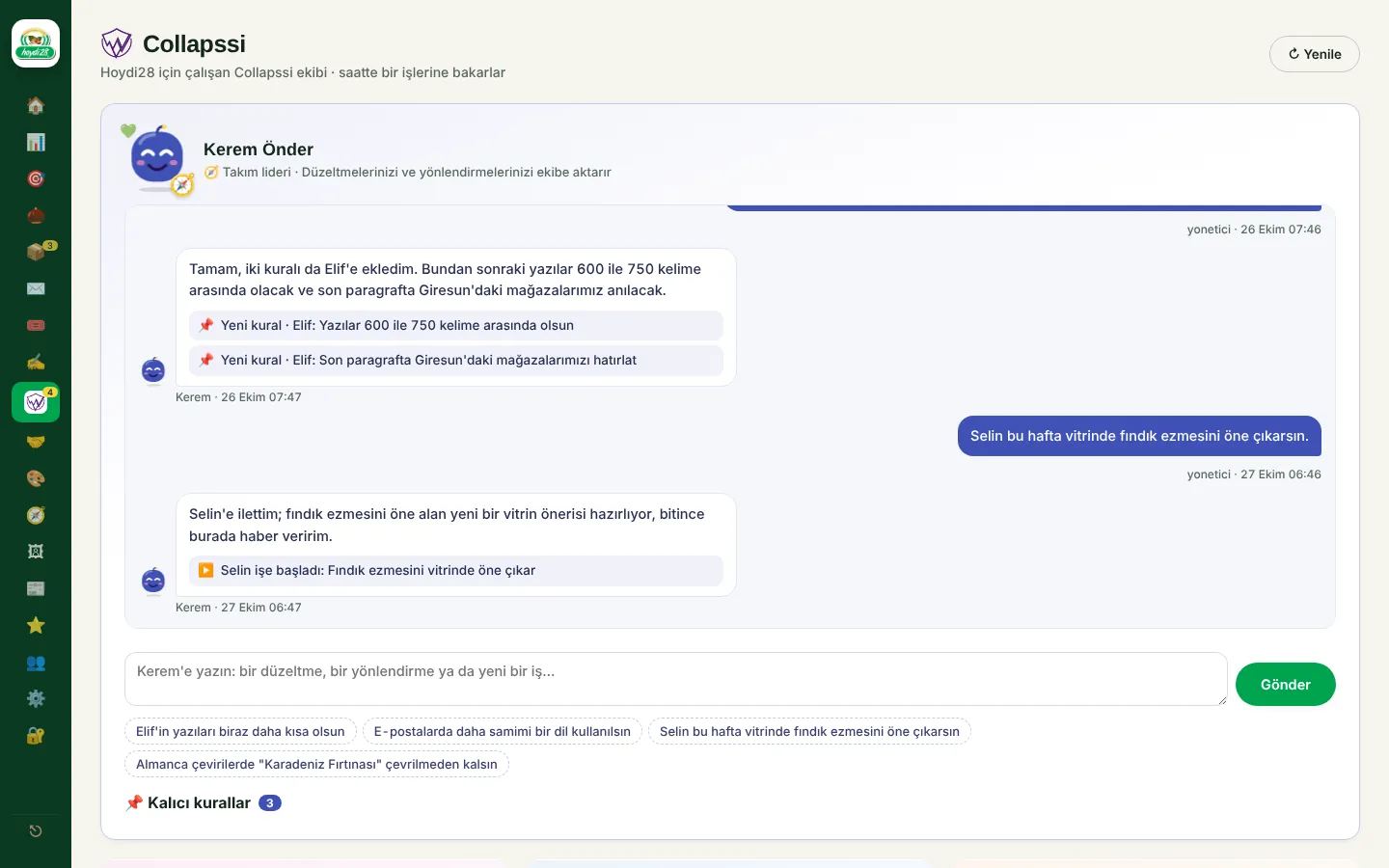
  • 🧭 Kerem (team lead): the store owner chats with him; Kerem has the right team member make the fix and turns "from now on" preferences into permanent rules
  • The core rules cannot be changed: no made-up facts, health claims or prices; each team member has a monthly workload quota
Chat with team lead Kerem and permanent rules
Elif, Deniz and Arda
Selin, Emre and Zeynep
A special-day storefront and a campaign plan awaiting approval
06

Admin panel

The store owner runs the whole business from one panel. It installs on the phone like an app; new orders trigger a notification and the app icon shows the number of pending orders.
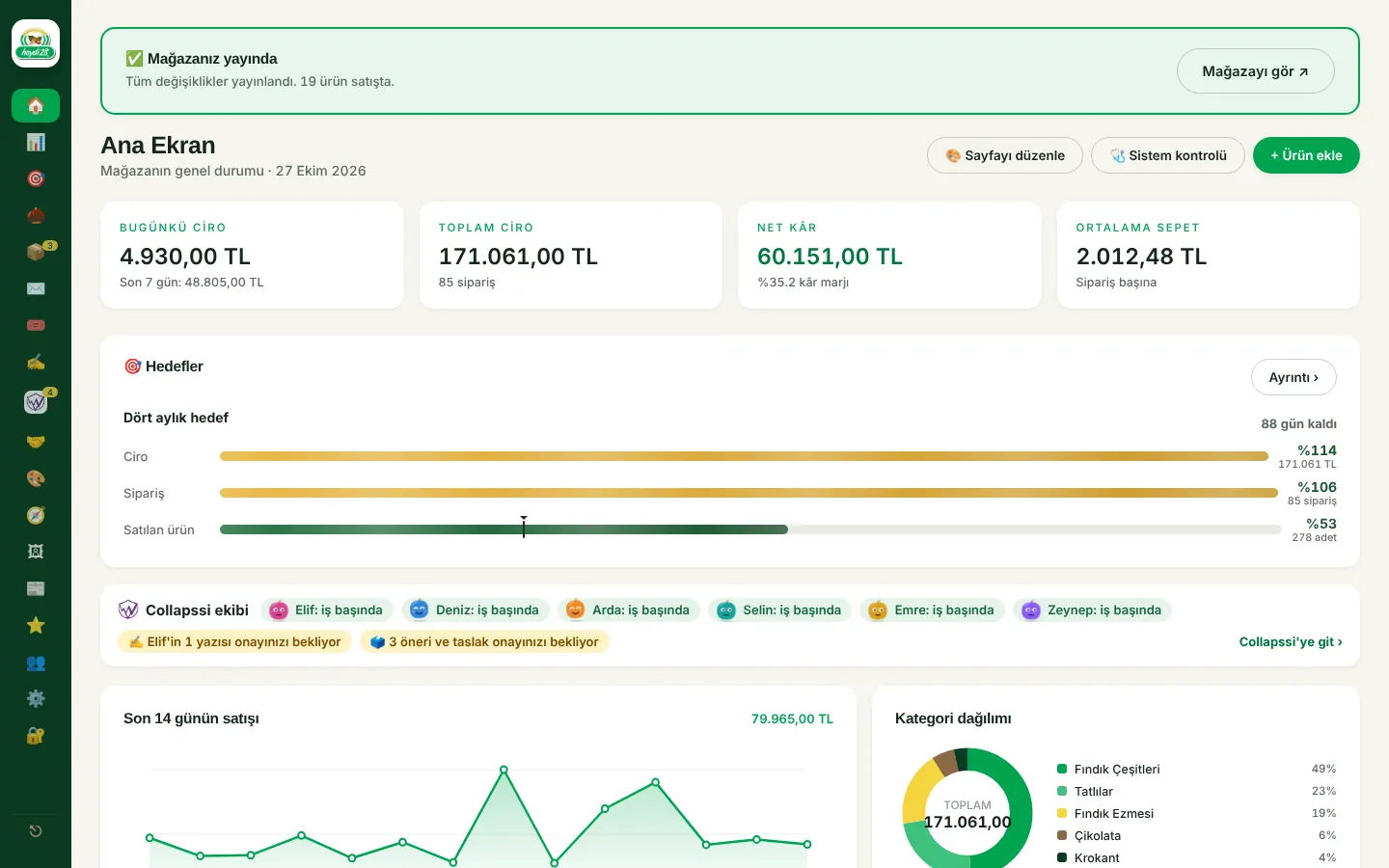
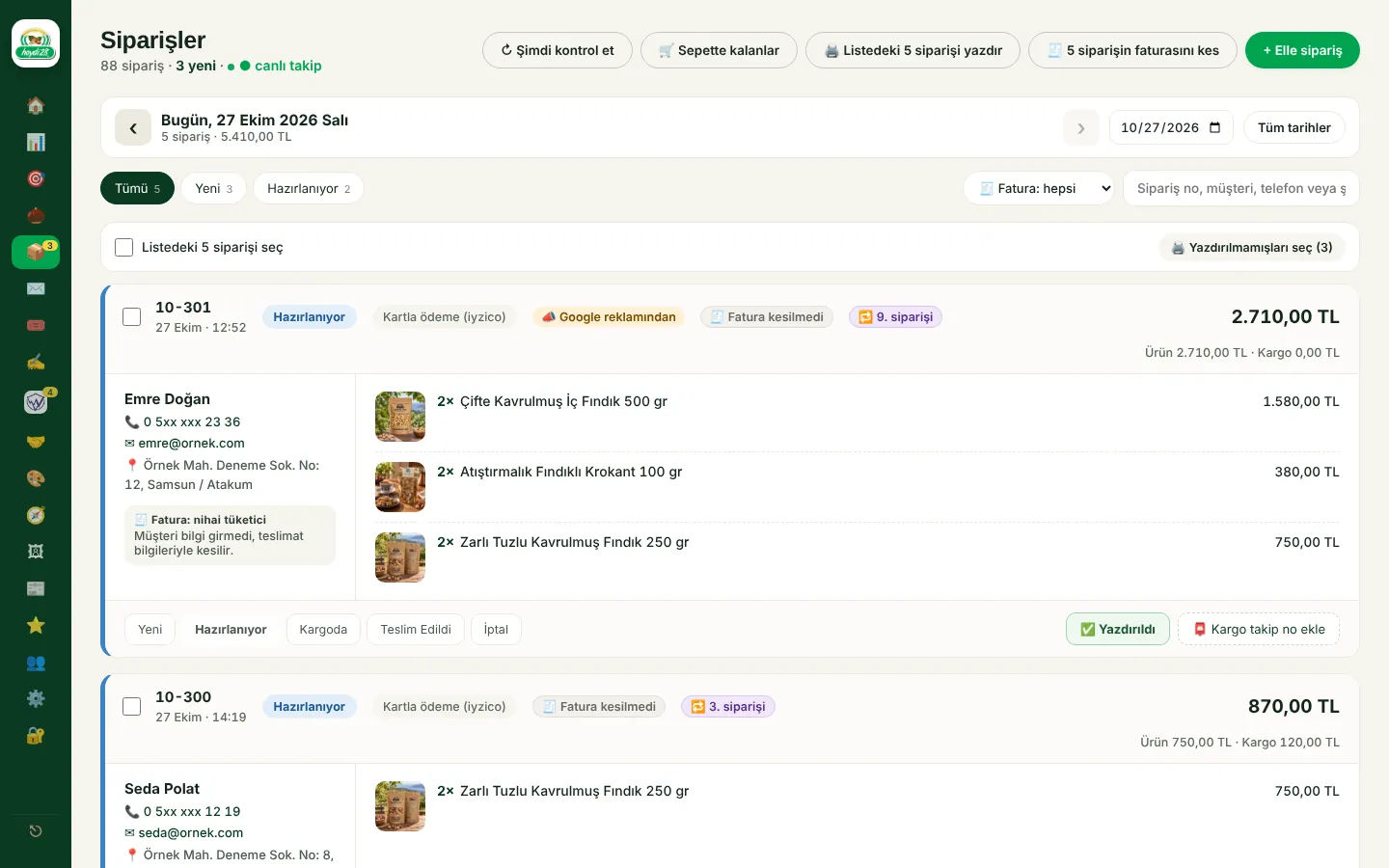
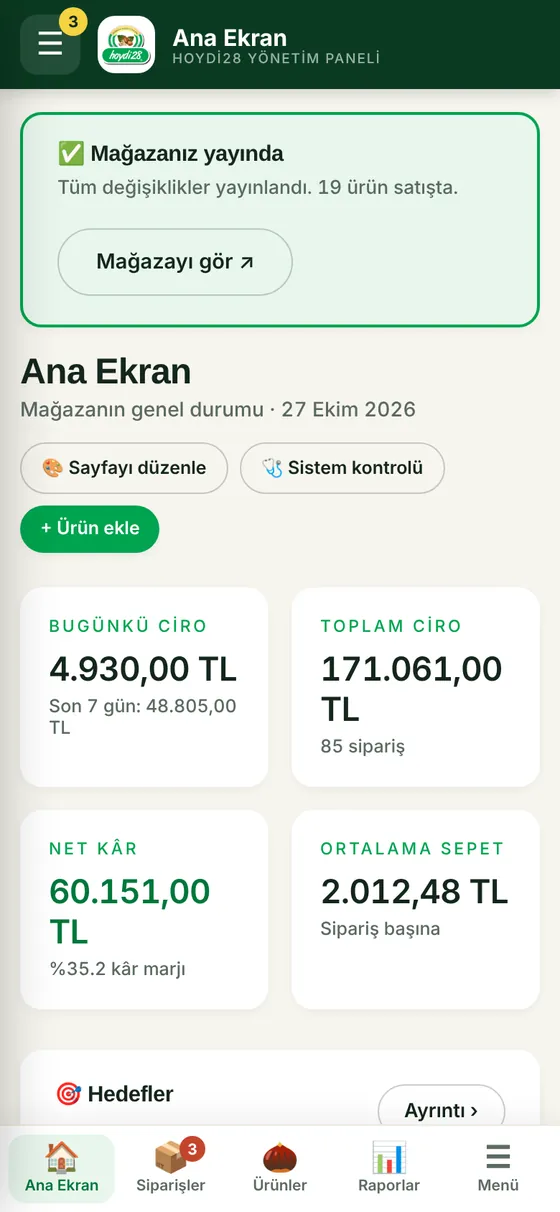
  • Dashboard: today's revenue, goal bars filling up, the Collapssi team's status, sales of the last 14 days, category breakdown
  • Orders: today's orders by default, day-by-day navigation, status and invoice filters; orders from ads and first-time customers carry badges
  • Selection and bulk actions: print, invoice or change the status of the selected orders
  • A5 shipping slip (A4 and a 10×15 label printer can also be chosen); printed orders switch to "Preparing" on their own, gift notes print as a separate card
  • Panel users and roles; a code by e-mail when signing in from a new device
  • Page builder: add and reorder blocks, with desktop, tablet and phone preview
  • In-site dialogs instead of the browser's confirm boxes; on phones a top bar, a menu that slides in from the left and a bottom tab bar
Admin dashboard
Admin dashboard
Orders
Orders
Admin panel on a phone
07

Goals, Analytics and Search Console

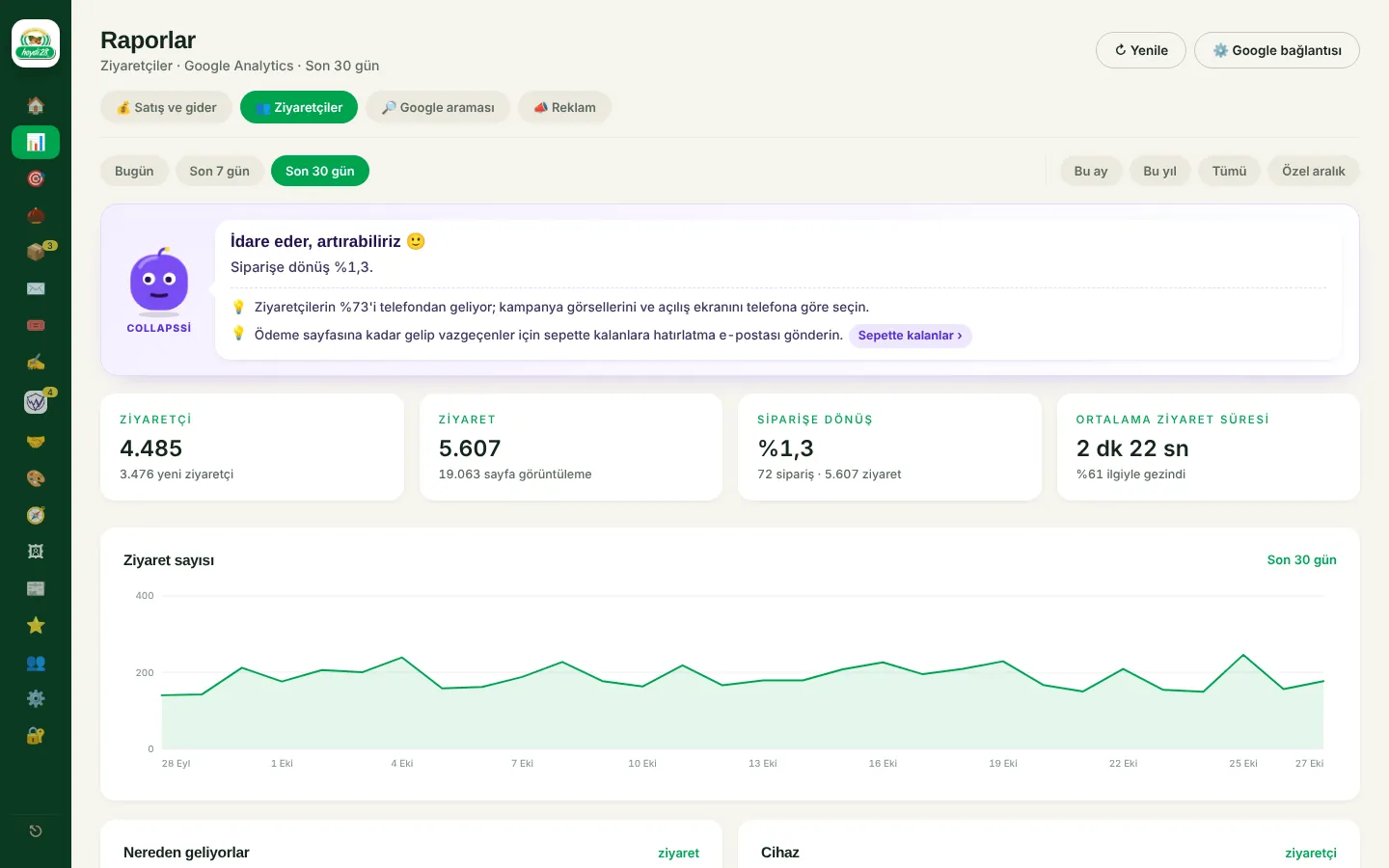
Sales goals fill up like a quota and Google's data flows into the panel. At the top of the reports the Collapssi mascot comments on the situation: it cheers when things go well, looks surprised when they slip and suggests what to do.
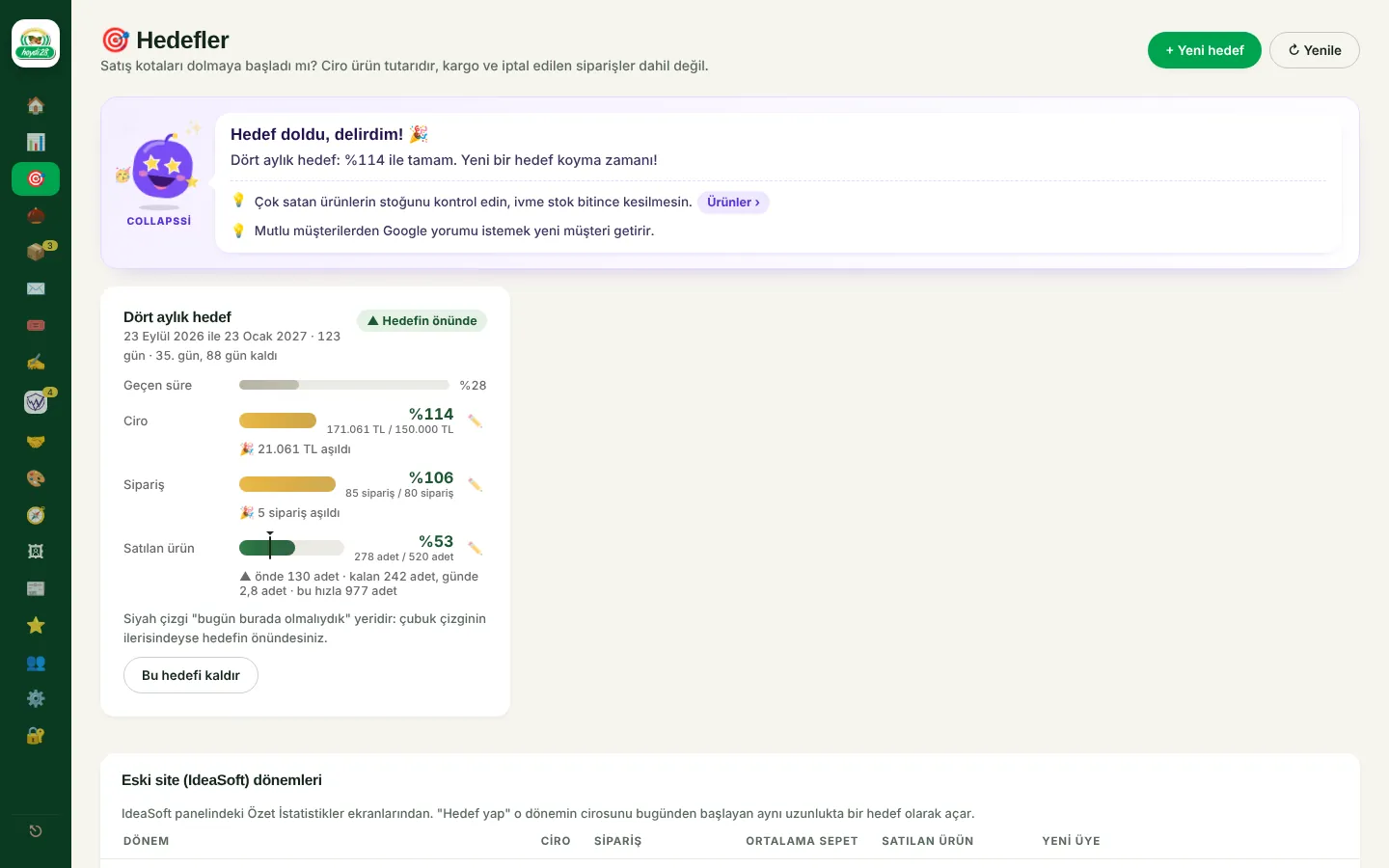
  • Goals: the old site's sales periods serve as a reference; revenue, order and units-sold bars fill up, with a "we should be here today" marker and an end-of-period forecast
  • Visitors (Google Analytics 4): visits, conversion to orders, channels, devices, cities, most viewed products
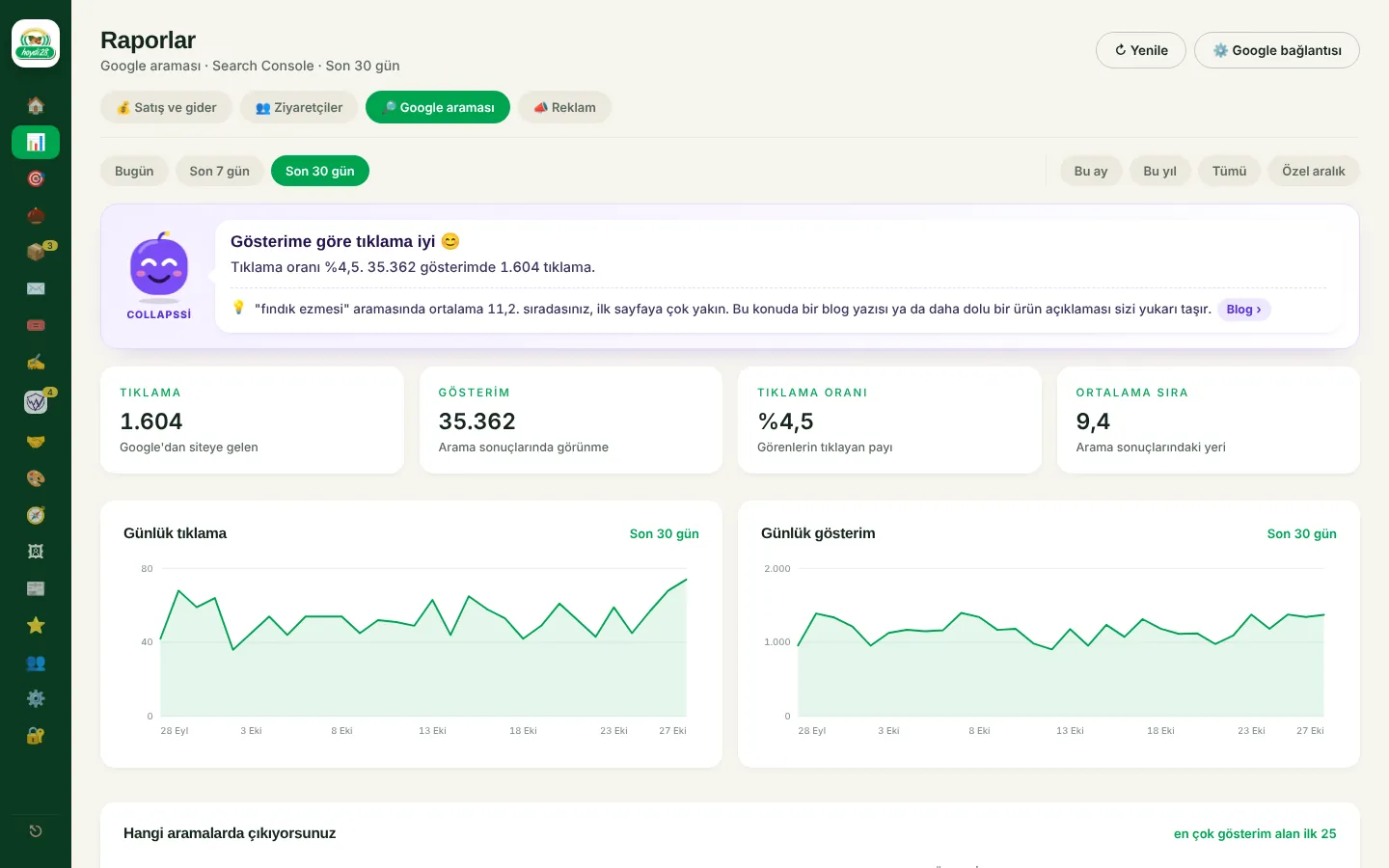
  • Google search (Search Console): clicks, impressions, click-through rate, average position, queries and pages
  • Sales and expenses report, WhatsApp clicks
  • Weekly report e-mail: a summary with charts every Friday morning (revenue, ads, new members, best sellers, to-dos), prepared by Collapssi
Goals and the Collapssi mascot
Visitors (Google Analytics)
Google search (Search Console)
08

Google Ads and an AI ads assistant

Google Ads data reaches the panel every hour through a script placed in the account. The AI assistant writes a daily summary and prepares suggestions; nothing changes in the ad account unless the store owner approves it.
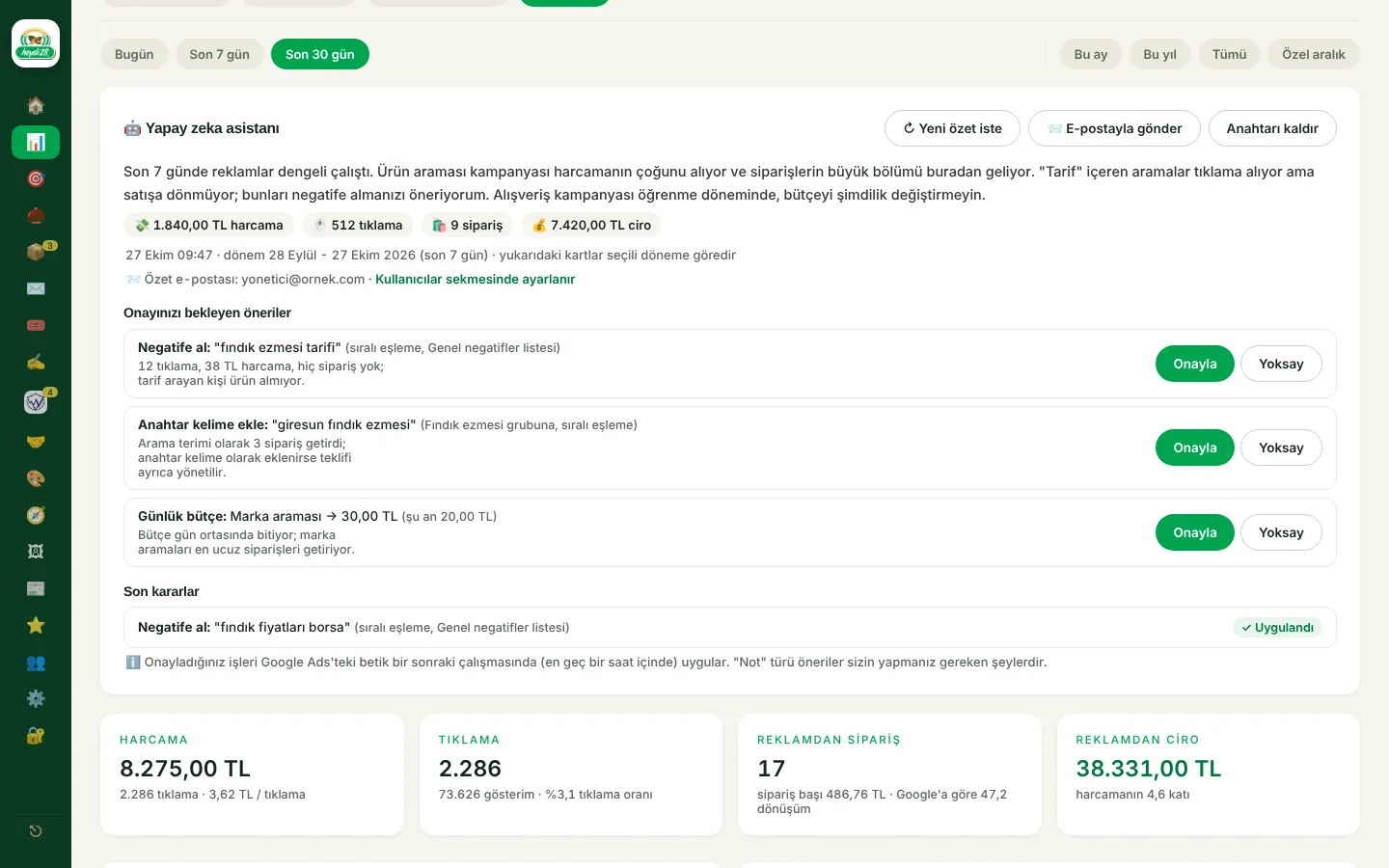
  • Reports by campaign, ad group, keyword, search term and, for Shopping ads, by product
  • Orders that come from ads are counted separately and set against the spend
  • Suggestions: negative keywords, new keywords, budgets, maximum cost per click, new ad copy; approved tasks are applied on the script's next run
  • Safety limits: the daily total budget cap and the bid range are checked in three separate places
  • The script updates itself: a loader pasted into the Google Ads account once downloads the main code from the site
  • The Merchant Center product feed updates on each release; the conversion tag and Google consent mode are in place
AI ads assistant and suggestions awaiting approval
09

E-mail and abandoned baskets

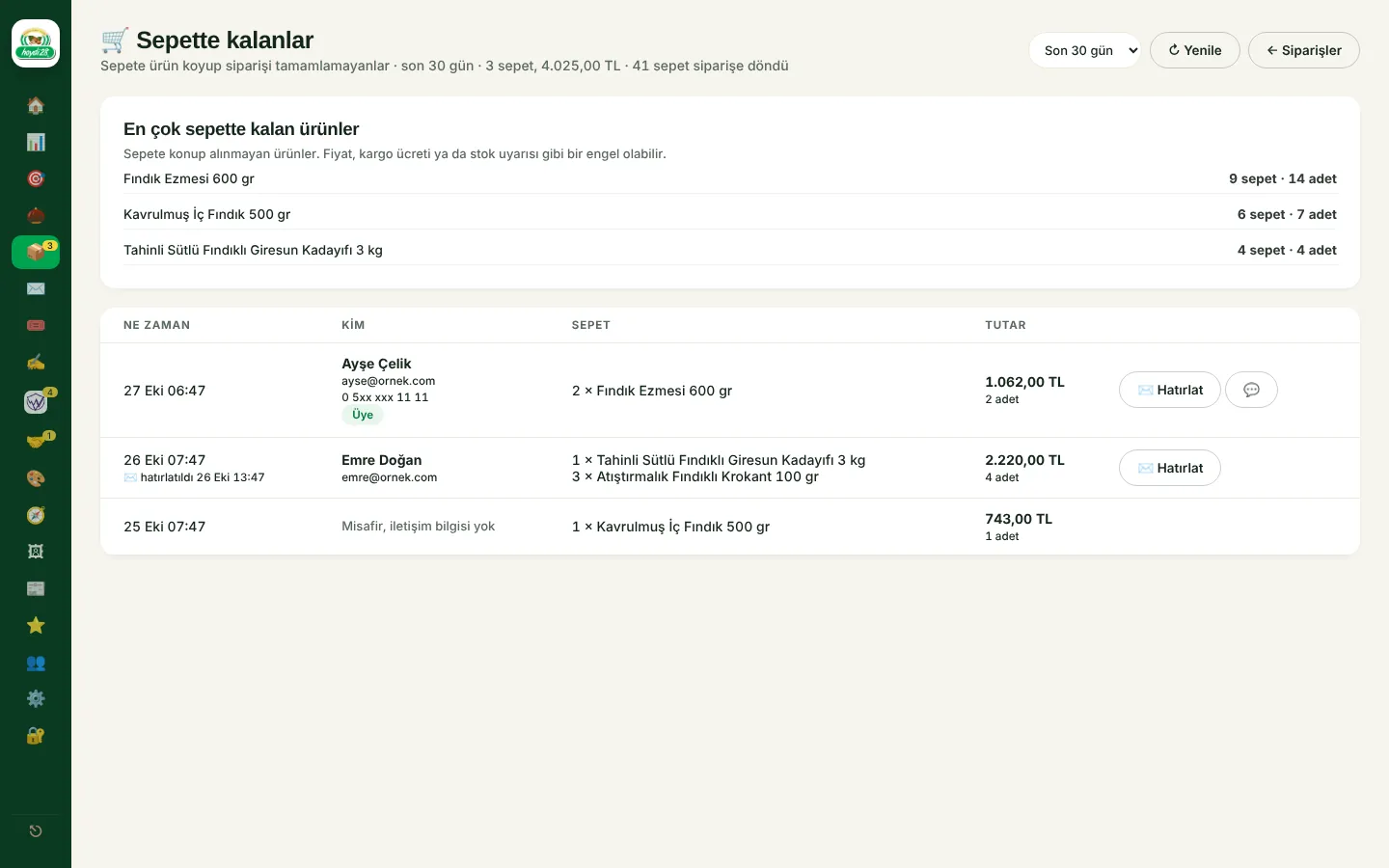
The company mailbox lives inside the panel. Automatic e-mails carry the brand's design, and a customer who left products in the basket can be reminded with one tap.
  • Inbox: conversations, stars, archive, labels, snooze, drafts and scheduled sending; several company addresses
  • Abandoned baskets: visitors who added products but did not order, and the products most often left behind; reminders by e-mail and WhatsApp
  • Bulk campaign e-mails to subscribers: opt-in subscription, a coupon box and an unsubscribe link in every e-mail
  • Special-day e-mails: a greeting e-mail and a coupon for that day go out on their own on days such as Mother's Day, religious holidays and New Year
  • Order, shipping and delivery e-mails; price and stock alerts for favourite products
Abandoned baskets and reminders
10

Finding wholesale buyers

Cafés, hotels, nut shops and companies buying corporate gifts are found on Google Maps and followed up in the panel like a sales pipeline.
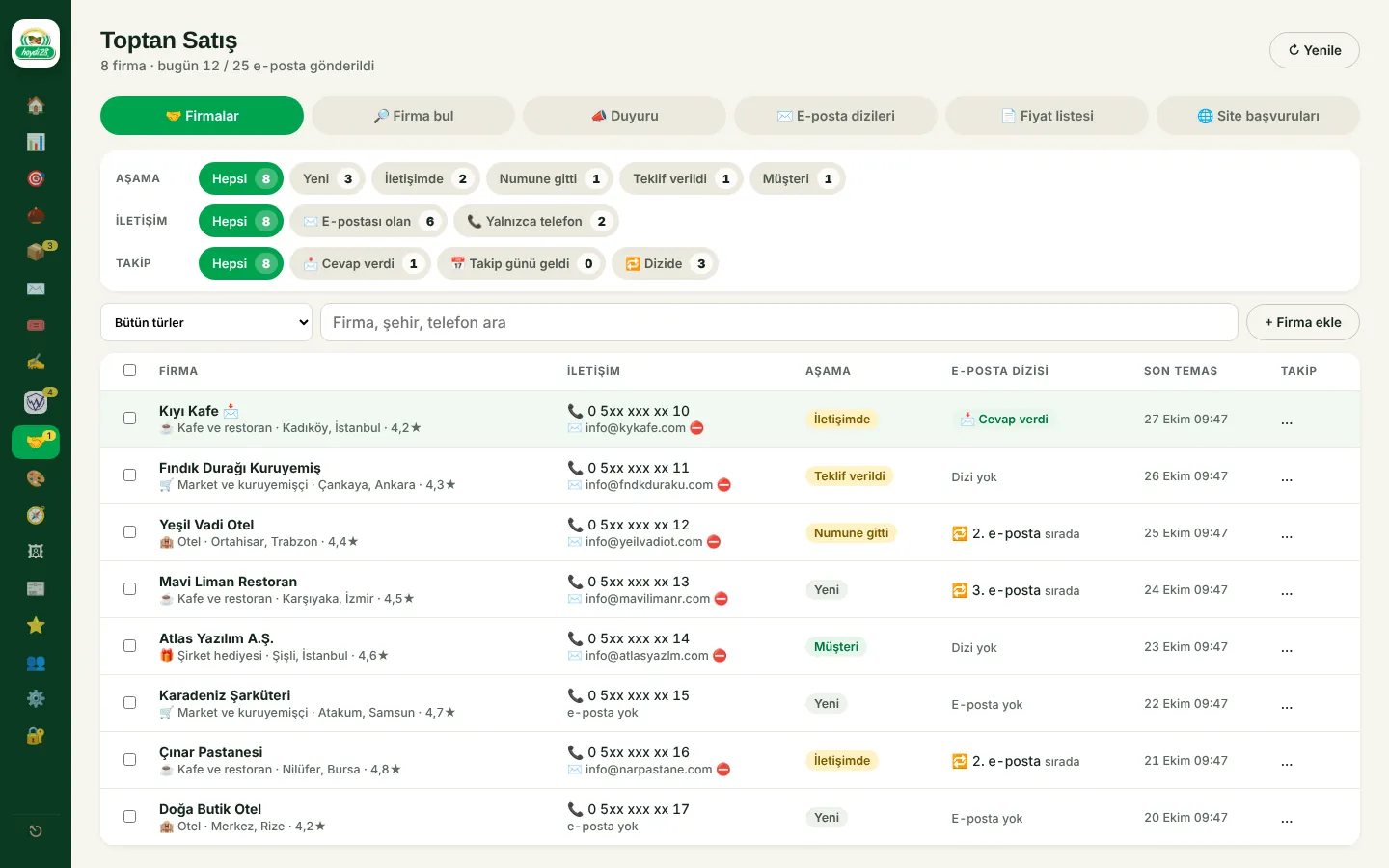
  • Finding companies: search Google Maps by type and city; for companies with a website, the e-mail address is found on the site
  • A three-e-mail introduction sequence per company type: on working days, with a daily limit and an opt-out link in every e-mail; the sequence stops when the company replies
  • Company card: calls, samples, quotes and orders move the stage forward; the full history on one screen
  • Announcements: share new products and campaigns with companies using product cards
  • A fixed wholesale price list for everyone, ready to print; wholesale applications from the site land in the company list automatically
Wholesale: companies and e-mail sequences
11

Shipping, e-invoicing and other integrations

The integrations run in server-side functions; secret keys never reach the browser. Invoices are issued and shipments announced from the order card, and their status updates on its own.
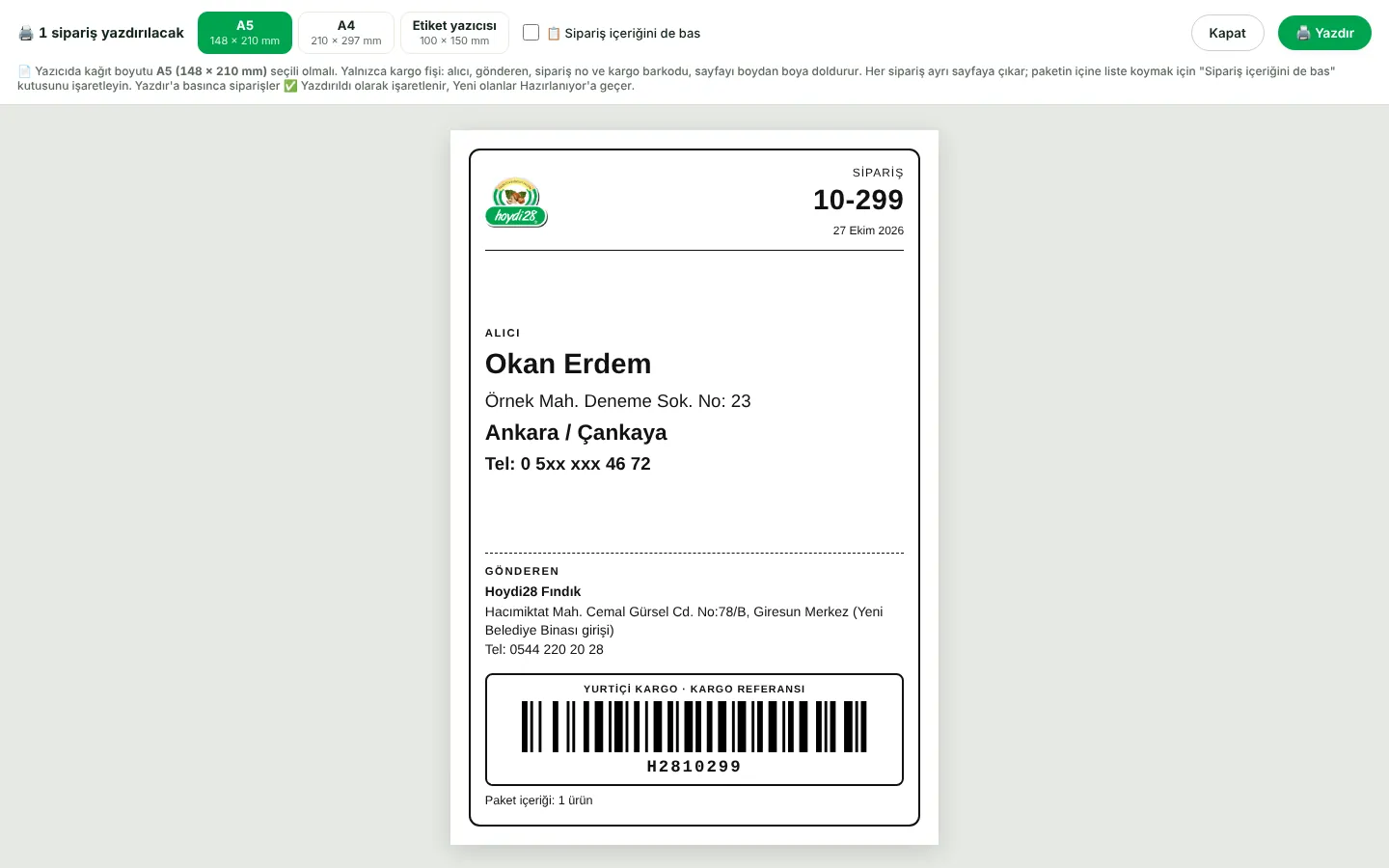
  • Yurtiçi Kargo and Sürat Kargo integration ready: one-tap shipment notification, a Code 128 reference barcode on the shipping slip, a status check every two hours
  • e-Invoice and e-Archive (EDM Bilişim): e-Invoice if the buyer is registered for it, otherwise e-Archive; invoices for all listed orders can be issued in one go
  • Coupon, campaign and Hoydi Para discounts are spread proportionally over the invoice lines
  • New-order notifications by Web Push; the app icon shows the number of pending orders
  • Google sign-in; Sign in with Apple ready
A5 shipping slip with the courier reference barcode

Planning a similar project?

Tell us what you need; we will define the scope, timeline and cost together. The first consultation is free.

Tell us about your project