Collapssi software · Social media

Social Media Automation

We built our own automation system to run our clients' social media. For each company it researches the week's agenda, decides how many posts, reels and stories to publish, writes the texts, creates the visuals, runs them past reviewers and sends approved content to Instagram, Facebook, LinkedIn, TikTok and other platforms at the scheduled time. Companies whose websites we built see and approve the plan from their own admin panel.
  • Python and FastAPI
  • SQLite
  • Claude API
  • OpenAI Images API
  • Seedance video
  • Gemini API
  • Hive and Sightengine
  • upload-post
  • Supabase Edge Functions
  • ffmpeg
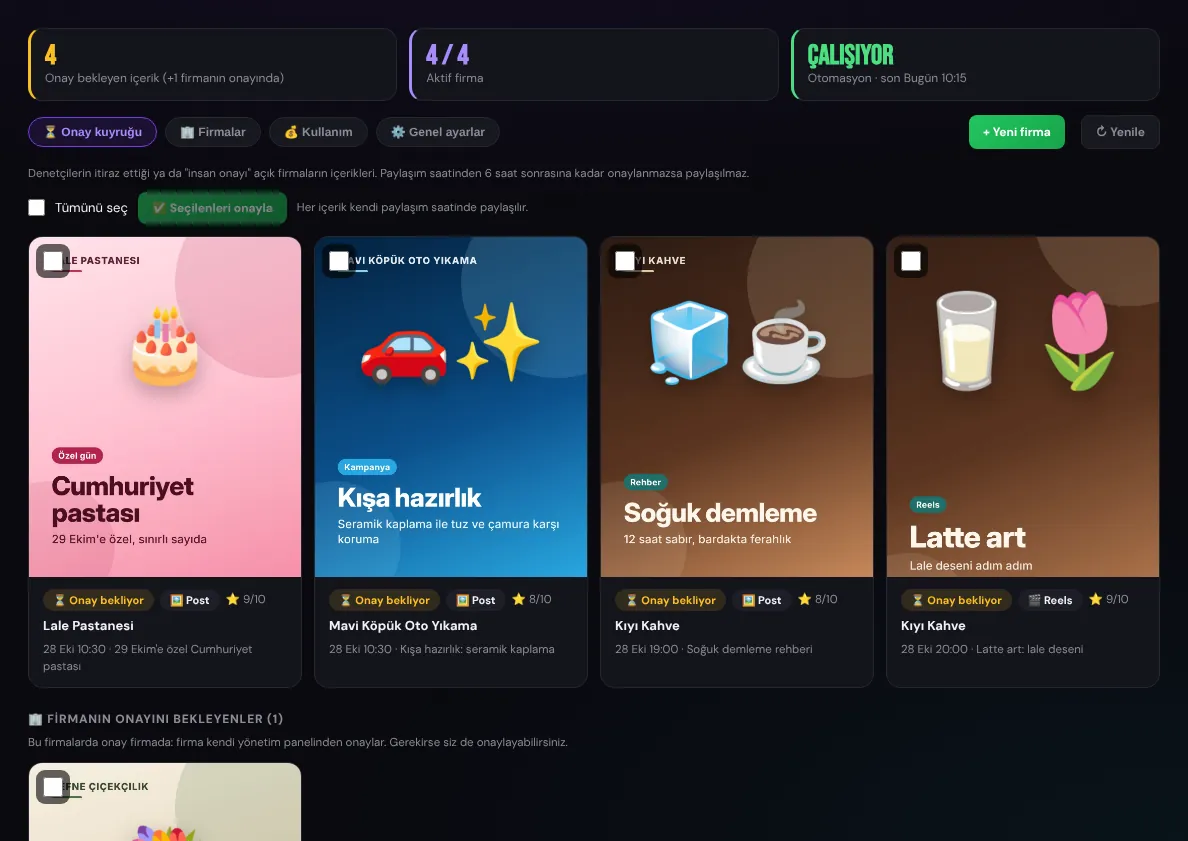
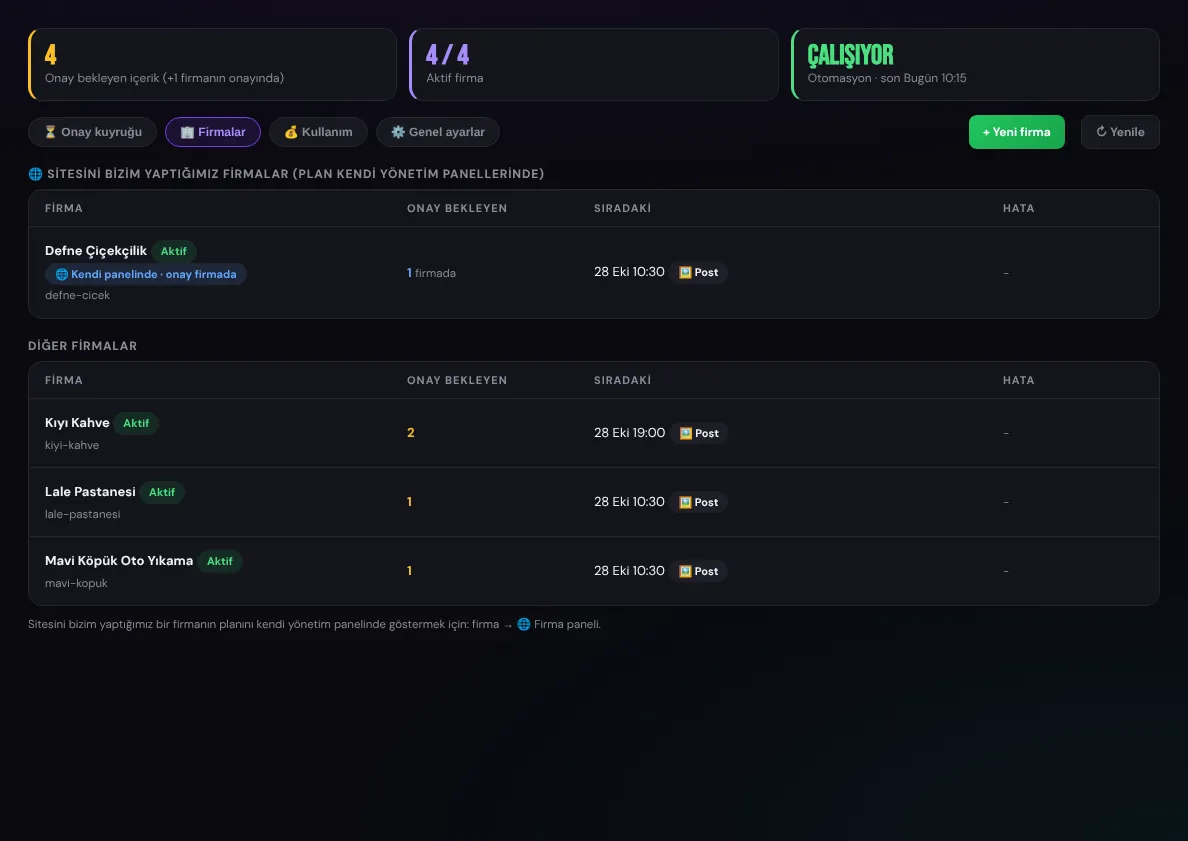
Approval queue: content from different companies
Platforms
Instagram, Facebook, LinkedIn, TikTok, YouTube, X, Threads, Pinterest, Bluesky
Content
Posts, reels and stories
Review
AI reviewers and a pass score
Approval
By us or in the company's own panel

Screenshots were taken from a local copy of the system with fictional companies and sample content (Kıyı Kahve, Lale Pastanesi, Mavi Köpük Oto Yıkama, Defne Çiçekçilik). The visuals were prepared as samples.

01

Approval queue

Content awaiting approval from every company on one screen. Each card shows the visual, type, publishing time and quality score; items can be selected and approved together or published right away.
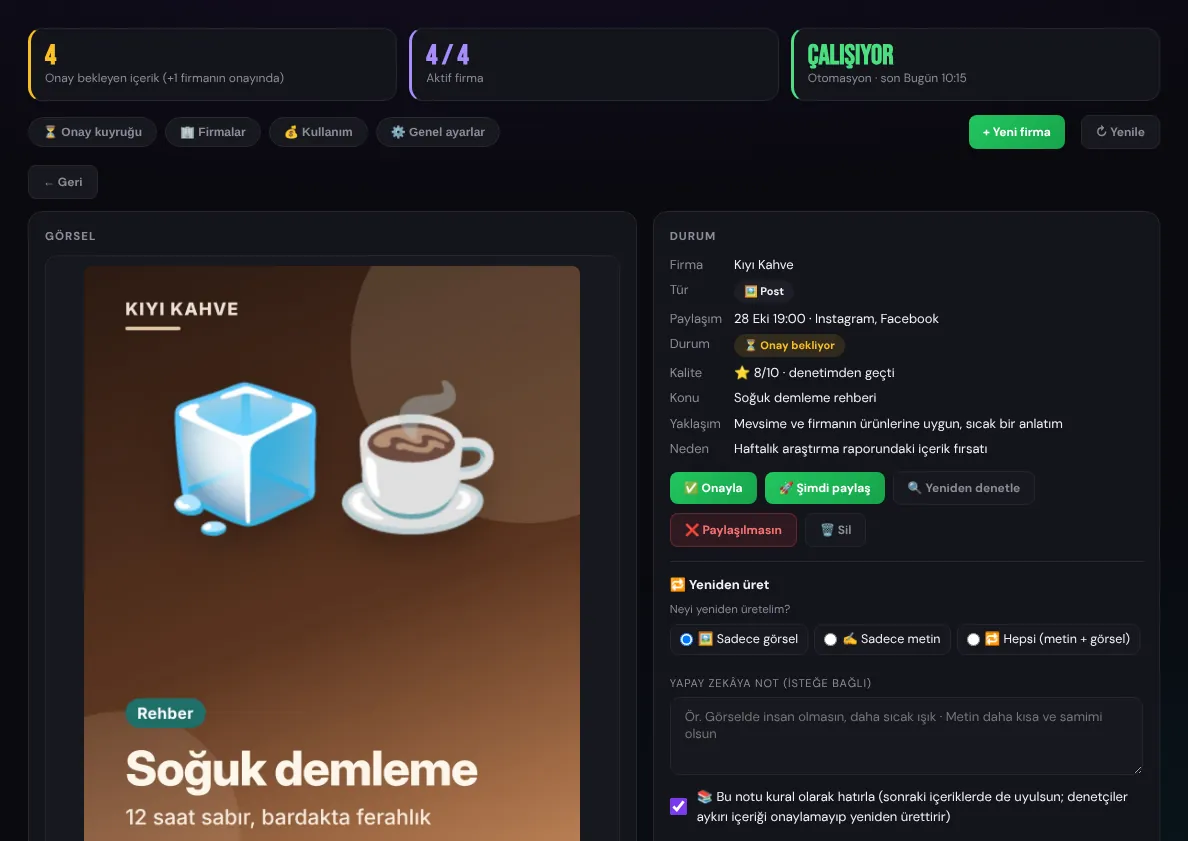
  • The detail view shows the image or video, text, hashtags, reviewer scores and objections
  • Approve, publish now or skip; edit the text by hand
  • Partial regeneration: only the image, only the text, only the video or everything, with an optional note for the AI
  • Notes and rejection reasons become the company's rules and apply to future content
  • Content not approved in time is not published; when the company approves, it appears in a separate list
Approval queue
Approval queue
Content detail, quality and regeneration
Companies
Companies
02

Weekly research and planning

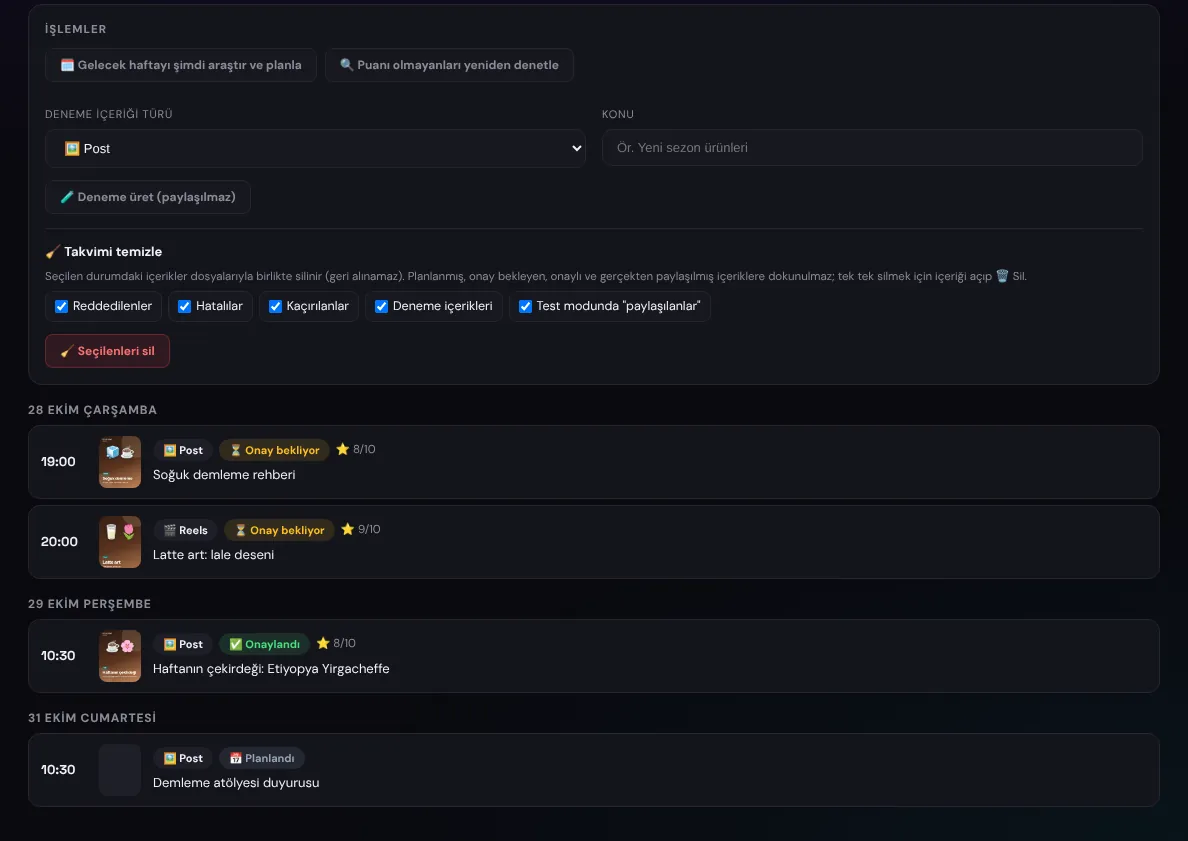
Before each week begins, the system researches the agenda for the company's sector, city and follower data, writes a report with its sources and draws up the week's plan.
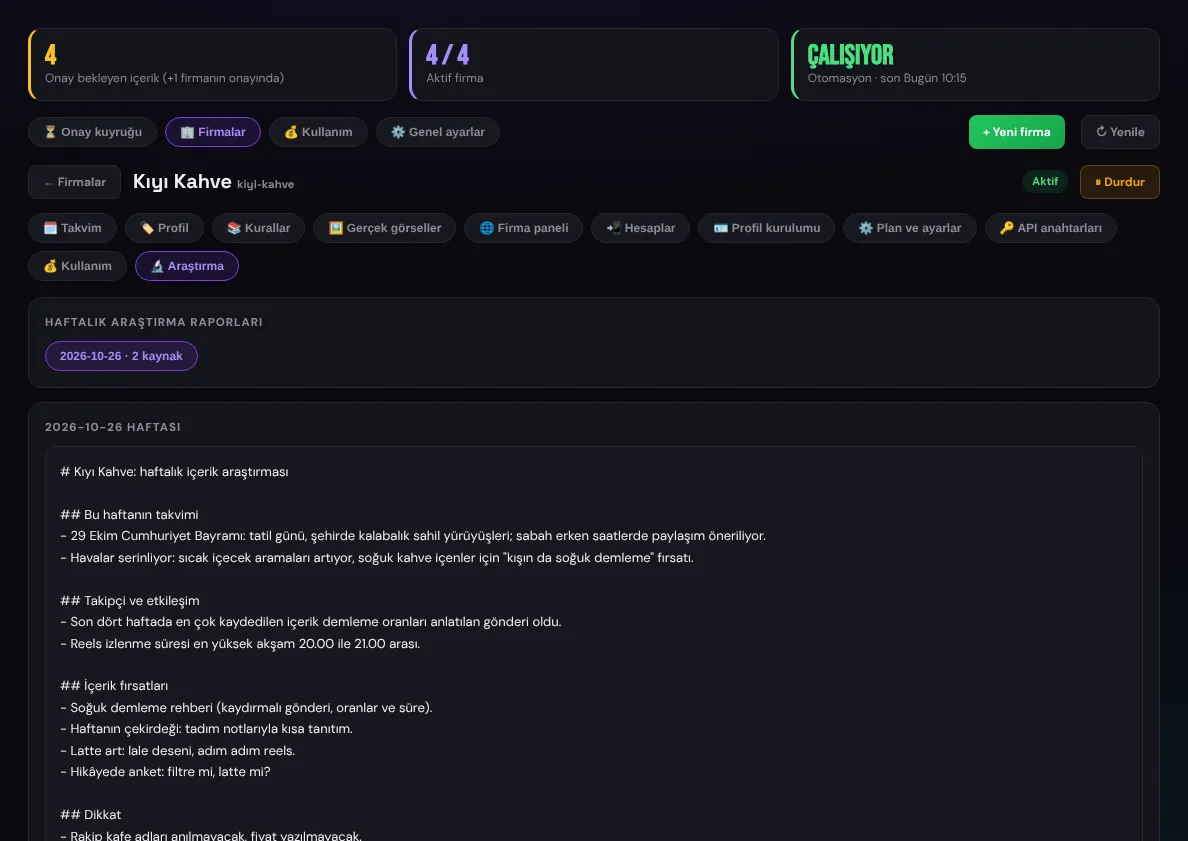
  • Special days, the season, local events and industry news; the source pages are read
  • The AI decides how many posts, reels and stories to publish, within the minimum and maximum set for the company, and explains why in the report
  • Publishing times are placed according to engagement data
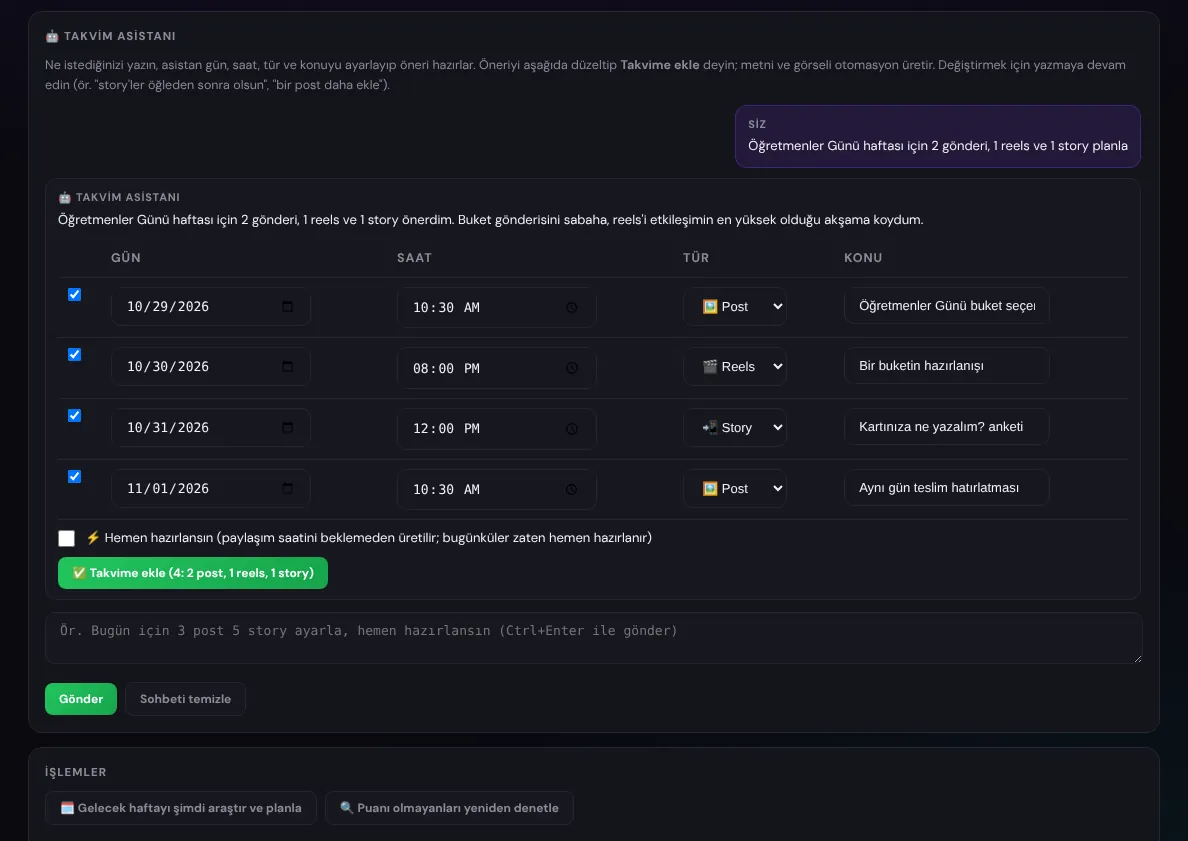
  • Calendar assistant: a request such as "plan 2 posts and 1 reel for Teachers' Day week" becomes an editable plan suggestion
Weekly research report
The company's calendar
Calendar assistant
Calendar assistant
03

Content creation and review

Texts and visuals are created from the company's brand profile. Every item passes through reviewers before publishing; anything below the pass score is regenerated.
  • Texts and scene descriptions with Claude, images with ChatGPT's image model, reels videos with Seedance
  • Real product photos collected from the company's website and repositories can be used too
  • Text on the image, a logo in the corner or within the scene; an extra caption language (for example English)
  • Reviewers: a Gemini editor score and "AI feel", and the Hive and Sightengine AI image detectors
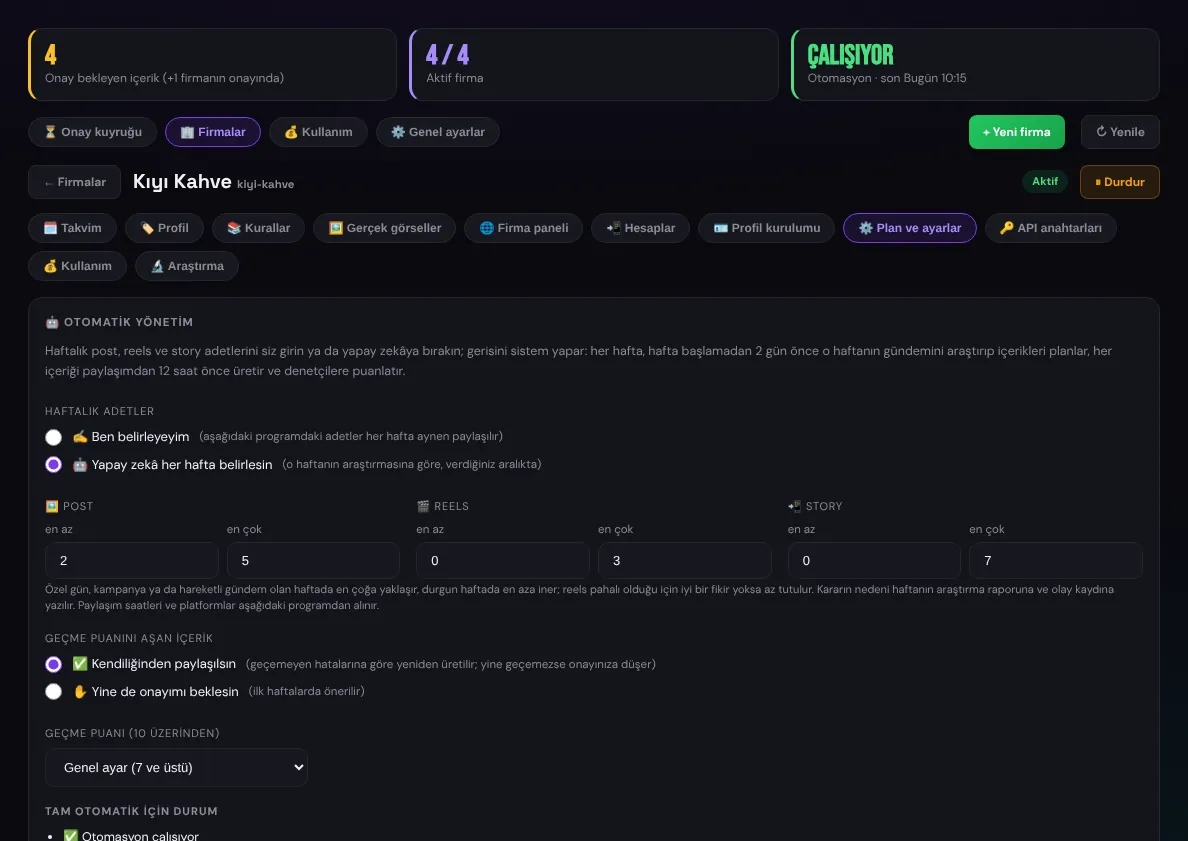
  • Content above the pass score can publish on its own or still wait for approval
Automatic management: content counts and pass score
04

Brand profile and profile setup

The system gets to know a company from its website and social accounts; products, campaigns, tone of voice and rules go into the brand profile. A profile setup kit is prepared for newly opened accounts.
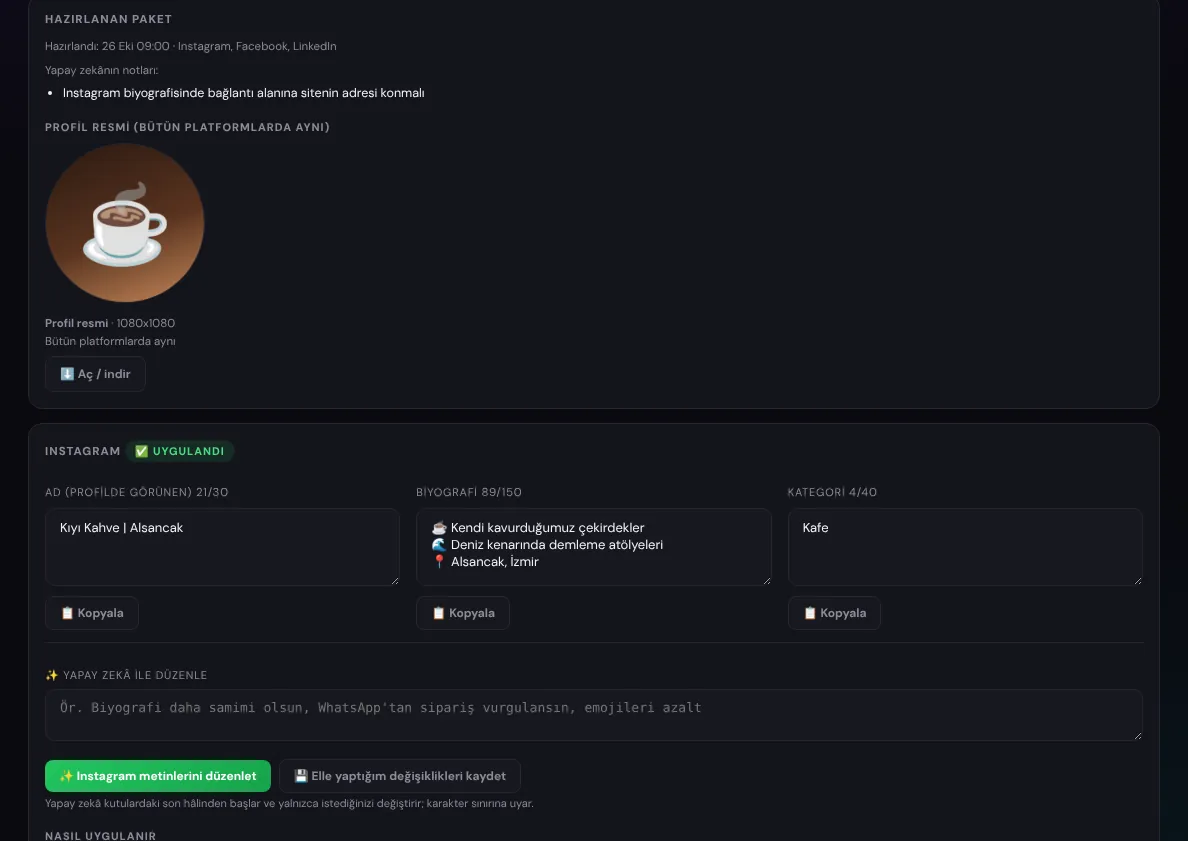
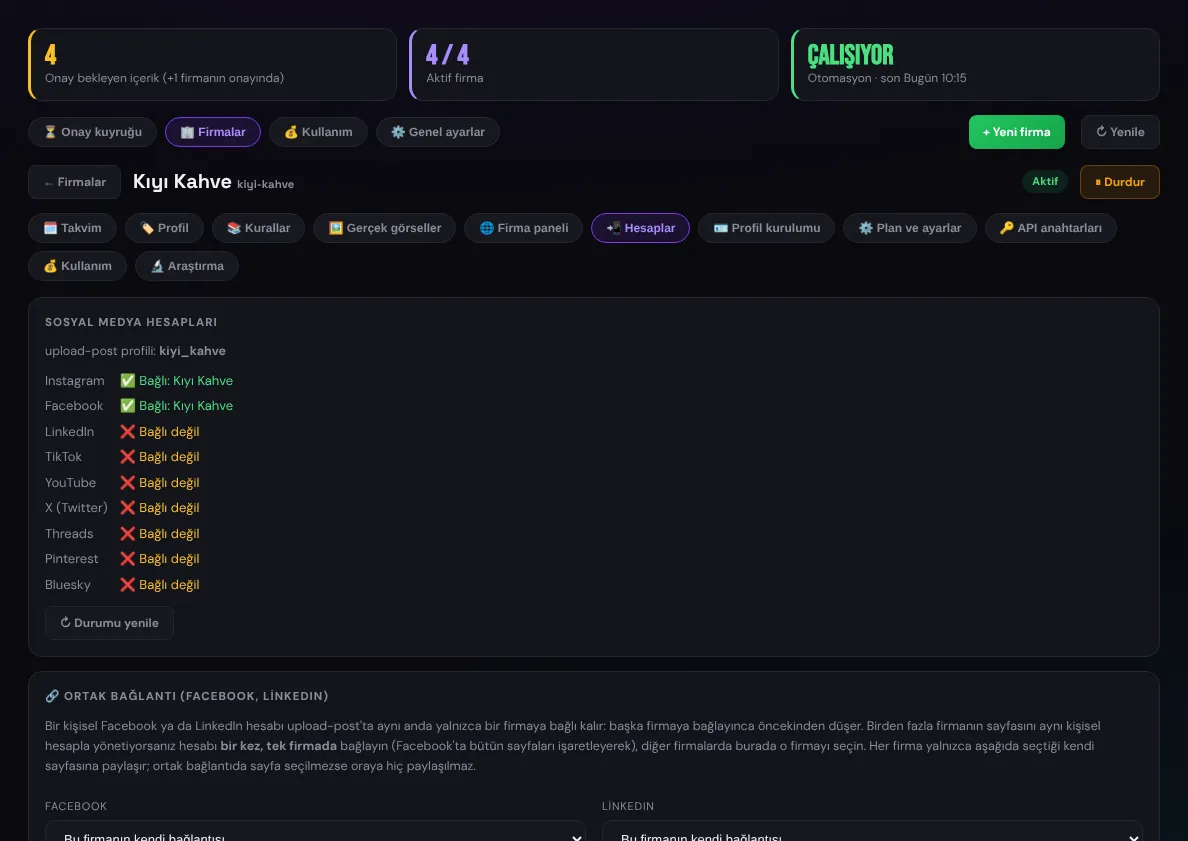
  • "Get to know the company": a profile draft from the website and accounts, refined through chat
  • Profile kit: a bio for each platform, a profile picture, cover images and Instagram highlight covers
  • Texts and visuals in the kit can be reworked by the AI from an instruction
  • Accounts connect through upload-post, with a shared connection for Facebook and LinkedIn
Profile setup kit
Profile setup kit
Connected social media accounts
05

Plan and approval in the company's own panel

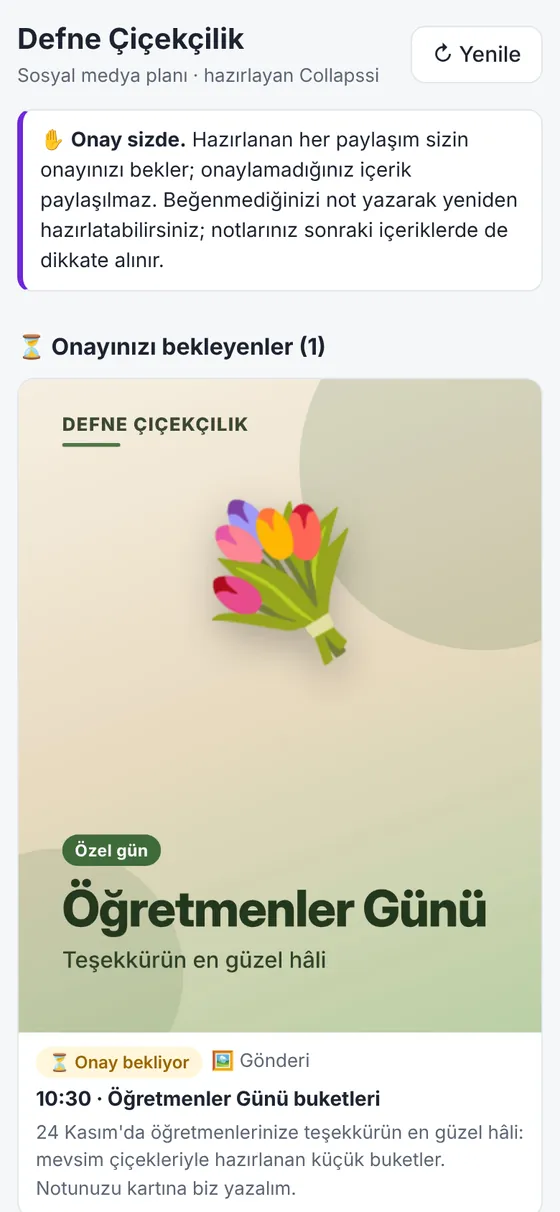
Companies whose websites we built see their social media plan in the Social Media tab of their own admin panel. When approval lies with the company, it approves, edits or asks for a new version itself.
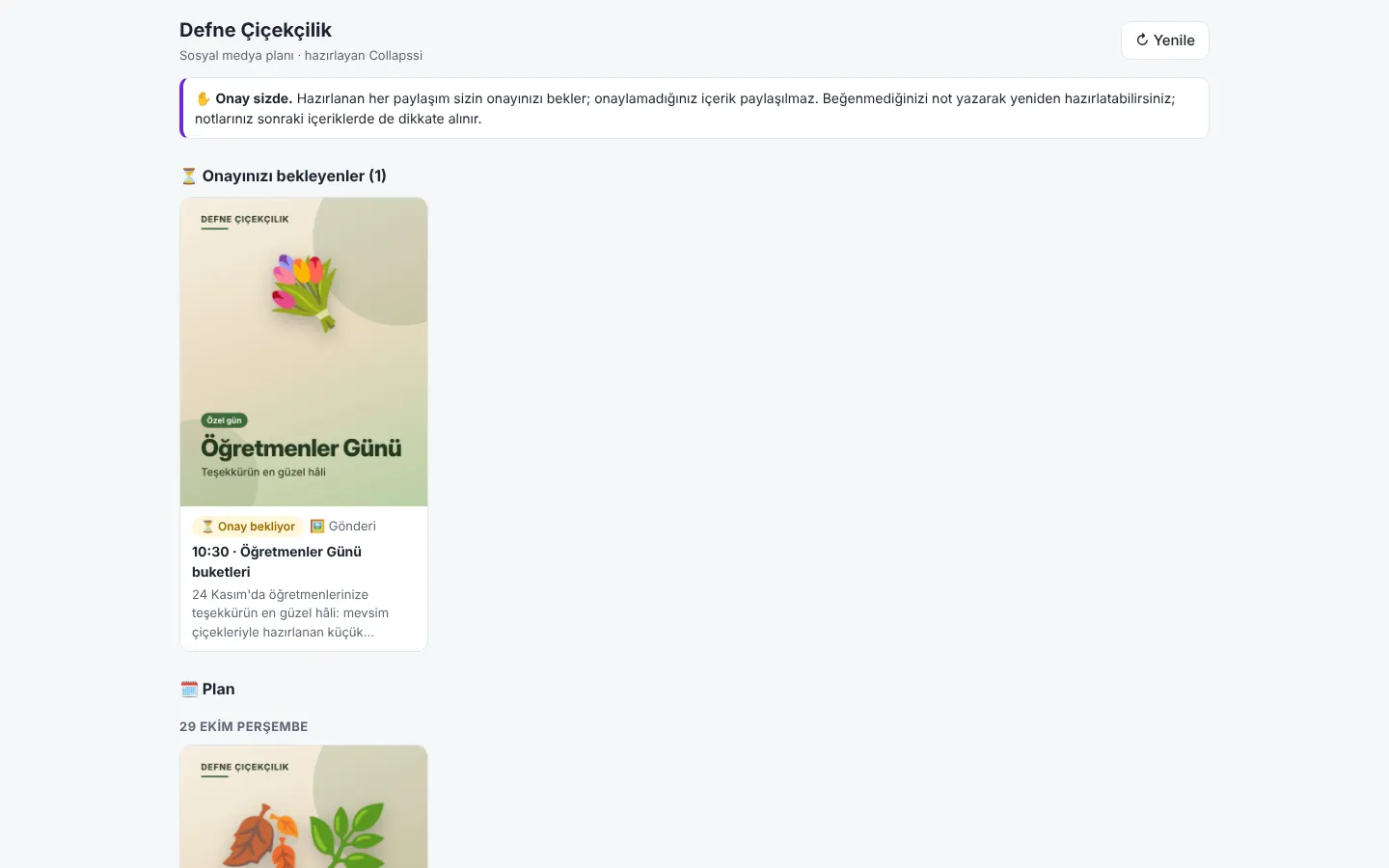
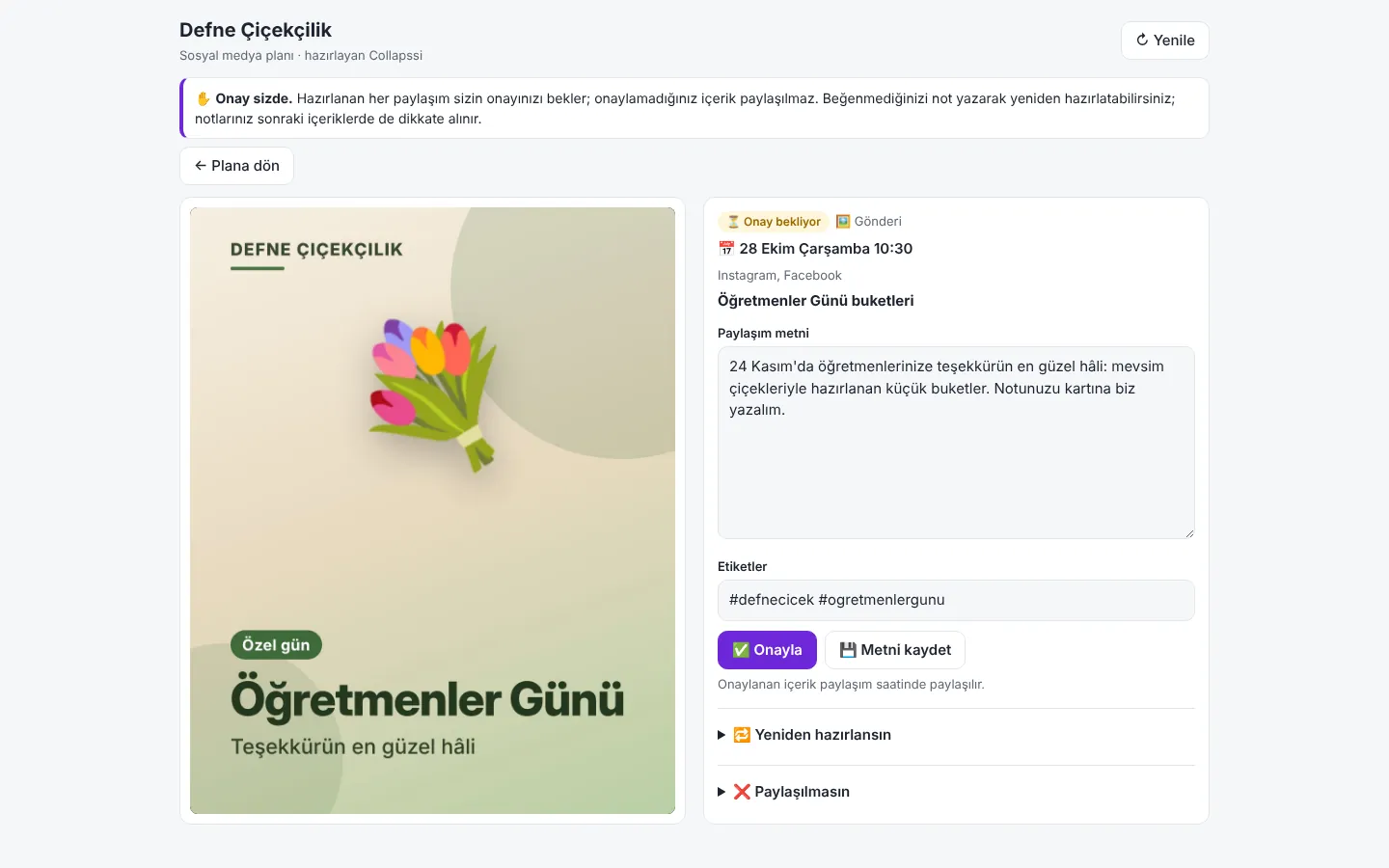
  • A secure screen opened inside the panel with a signed, time-limited link
  • Items awaiting approval, the weekly plan and what has been published
  • Editing the text, asking for a new version with a note, or skipping
  • Comfortable to use on a phone as well
The plan in the company's panel
The company approving content
Company panel on a phone

Planning a similar project?

Tell us what you need; we will define the scope, timeline and cost together. The first consultation is free.

Tell us about your project